
XSS Attacks Explained: Complete Guide to Cross-Site Scripting
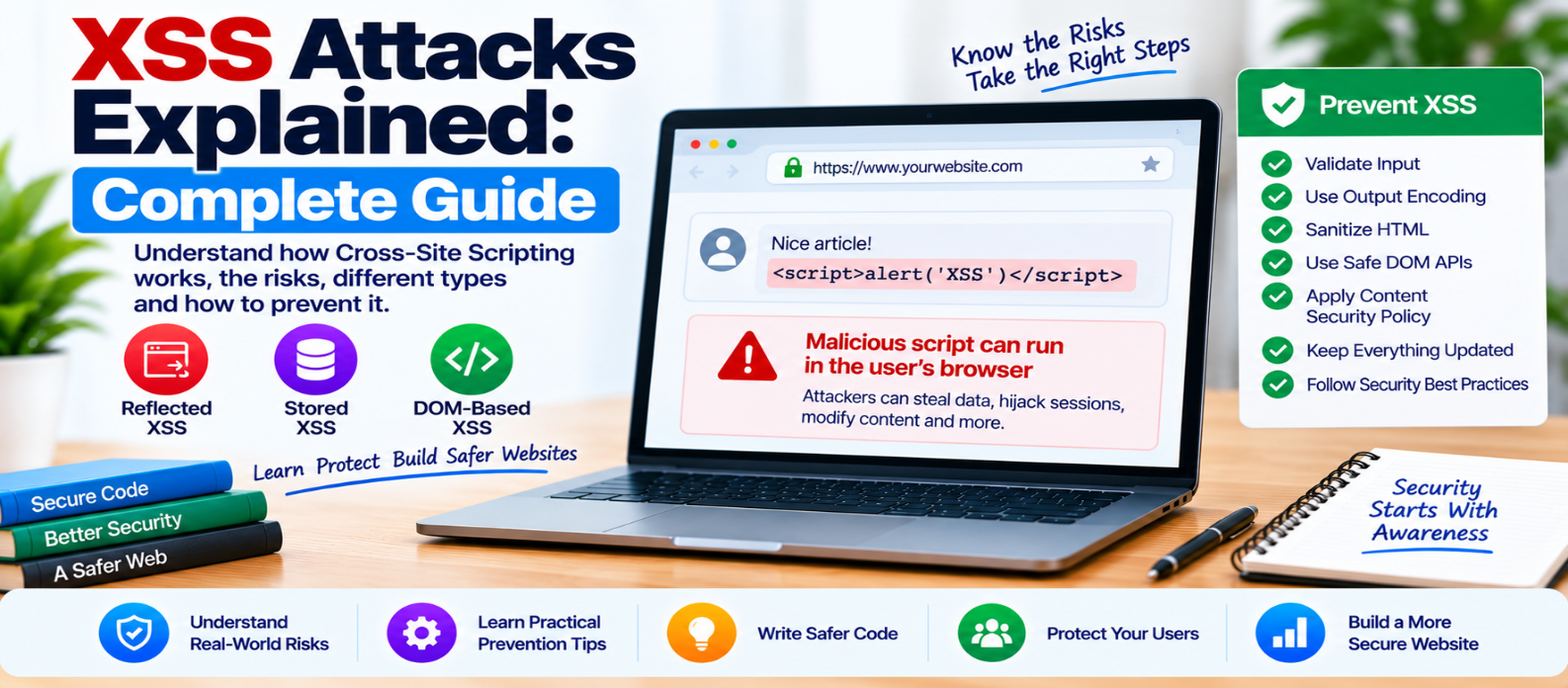
"Learn how Cross-Site Scripting (XSS) works, including reflected, stored and DOM-based XSS, its security risks, and practical prevention using output encoding, safe DOM APIs, sanitization and Content Security Policy."
XSS Attacks Explained: Complete Guide
Cross-Site Scripting, commonly called XSS, is a website security vulnerability in which attacker-controlled content can cause unintended script or active content to execute in another user's browser.
The fundamental problem is usually a failure to keep untrusted data separate from executable content.
Understanding that principle makes XSS much easier to prevent.
How Does XSS Work?
Imagine a website displays a visitor's search term:
Search results for: [USER INPUT]Displaying the text itself isn't necessarily dangerous.
The problem occurs when untrusted input is inserted into a page in an unsafe context and the browser interprets some of it as executable markup or code rather than ordinary text.
Conceptually:
Untrusted Input
      ↓
Application
      ↓
Unsafe Output Handling
      ↓
Browser Interprets It as Active Content
      ↓
XSS
The browser doesn't inherently know which content the website intended to trust. The application must handle data safely.
Why Is XSS Dangerous?
JavaScript running within a webpage can interact with that page and perform actions available to its browser context.
Depending on the website and its security controls, successful XSS could potentially:
- Modify visible page content
- Perform actions using a victim's authenticated session
- Display fraudulent forms or messages
- Access information available to page scripts
- Redirect users
- Interfere with application behavior
The actual impact depends heavily on where the vulnerability exists and what privileges the affected user has.
An XSS vulnerability affecting an administrator interface, for example, may carry greater risk than one in a limited public area.
The Three Main Types of XSS
XSS is commonly discussed in three broad categories.
1. Reflected XSS
Reflected XSS occurs when attacker-controlled input from a request is immediately included in the server's response in an unsafe way.
A simplified flow:
Request contains input
        ↓
Server includes input in response
        ↓
Browser renders response
        ↓
Unsafe content executes
Search pages and error messages are examples of places where request data may be reflected.
The vulnerability isn't the existence of a search box. It is unsafe handling of the output.
2. Stored XSS
Stored XSS occurs when unsafe content is saved by the application and later shown to other users.
Potential storage locations include:
- Comments
- Profiles
- Forum posts
- Product reviews
- Support messages
- Content management fields
The flow looks different:
Untrusted Content
       ↓
Stored in Application
       ↓
Another User Opens Page
       ↓
Content Rendered Unsafely
       ↓
XSS
Stored XSS can be particularly serious because affected users may encounter the content without interacting with a specially crafted request.
3. DOM-Based XSS
DOM-based XSS happens primarily through unsafe client-side JavaScript behavior.
For example, frontend code may read data from a URL or another browser-controlled source and insert it into the page using an unsafe API.
The server response itself doesn't necessarily need to contain the final unsafe content.
Conceptually:
Browser-Controlled Data
        ↓
JavaScript Reads It
        ↓
Unsafe DOM Operation
        ↓
Browser Creates Active Content
This is why server-side protection alone isn't enough for modern JavaScript-heavy websites.
Output Encoding: A Core XSS Defense
One of the most important XSS protections is context-aware output encoding.
Suppose a visitor enters:
Hello <Example>If the website wants to display that as plain text, the browser should receive a representation that causes the characters to appear as text rather than being interpreted as HTML markup.
But encoding rules depend on context.
Data inserted into:
HTML text
HTML attributes
URLs
JavaScript
CSS
may require different handling.
There is no universal "escape everything once" function that safely handles every possible context.
Prefer Safe DOM APIs
Client-side JavaScript should use APIs that treat user-controlled content as text when HTML isn't required.
For example:
message.textContent = userMessage;This communicates that userMessage should be displayed as text.
Be much more cautious with APIs that interpret strings as HTML.
The useful rule is:
If you only need text, use an API designed for text.
What If Users Need to Submit HTML?
Some applications intentionally accept formatted content—for example, a rich-text editor.
Simply encoding everything may destroy the formatting the application needs.
In those situations, carefully designed HTML sanitization can allow approved markup while removing dangerous constructs.
Don't attempt to create a sanitizer with a few regular expressions.
HTML parsing and browser behavior are complex. Use a well-maintained sanitizer designed for the environment and configure it according to your actual requirements.
Content Security Policy as Defense in Depth
A Content Security Policy (CSP) can restrict which resources and scripts a browser is permitted to execute.
A carefully designed CSP can reduce the impact of certain XSS vulnerabilities.
However:
Secure Output Handling
        +
Safe DOM APIs
        +
Sanitization Where Needed
        +
Content Security Policy
        =
Stronger Defense
CSP shouldn't be used as an excuse to leave unsafe rendering code unfixed.
Don't Rely Only on Input Filtering
A common mistake is trying to create a list of "bad characters" and removing them from user input.
This approach is fragile.
The same input can be safe in one context and dangerous in another.
Instead, focus on:
- Validating input according to what the application expects
- Keeping data separate from code
- Encoding output for its destination context
- Sanitizing intentionally allowed HTML
- Using safe browser APIs
Protect Authentication Cookies Too
Session cookies should use security attributes appropriate for the application.
For example, HttpOnly can prevent ordinary client-side JavaScript from directly reading a cookie.
This doesn't eliminate XSS. Malicious script running in the application's context may still be able to perform actions through the victim's session.
Cookie protection is another layer—not a substitute for fixing the vulnerability.
Common XSS Prevention Mistakes
Avoid these assumptions:
"Our framework protects everything automatically."
Frameworks can provide useful defaults, but unsafe escape hatches can reintroduce risk.
"We validate input, so we're safe."
Validation and output handling solve different problems.
"We removed script tags."
XSS isn't limited to one HTML element.
"We have CSP, so XSS doesn't matter."
CSP is defense in depth.
"Only the backend needs protection."
DOM-based vulnerabilities can originate in frontend code.
XSS Prevention Checklist
Review your website for these protections:
-
Untrusted output is encoded for its context
-
Templates use safe defaults
-
Unsafe HTML rendering is minimized
-
DOM manipulation uses safe APIs where possible
-
User-supplied HTML is properly sanitized when required
-
URL-derived data is treated as untrusted
-
Inline script construction from user data is avoided
-
CSP is considered as an additional defense
-
Session cookies use appropriate security attributes
-
Dependencies are kept updated
-
Security testing includes frontend behavior
-
High-risk administrator interfaces receive extra attention
Conclusion
XSS isn't fundamentally about one particular script or browser trick.
It's about a broken boundary between:
DATA and CODE.
The safest design keeps that boundary clear:
Untrusted Data
      ↓
Validate as Needed
      ↓
Encode for Output Context
      ↓
Render as Data
      ↓
Browser Displays It Safely
Use safe framework defaults, context-aware encoding, safe DOM APIs, trusted sanitization when HTML is necessary, and CSP as an additional security layer.
Once developers consistently treat external data as data rather than executable content, a large class of XSS problems becomes much easier to prevent.
Get a Free Access To 200+ Free Tools:
|
Home Page |
|
|
Calculator Tools |
|
|
Text & Converter Tools |
|
|
PDF & Image Tools |
|
|
Games & Developer Tools |
|
|
Resume Builder |