
WebP vs AVIF vs JPEG vs PNG: Complete Comparison for 2026
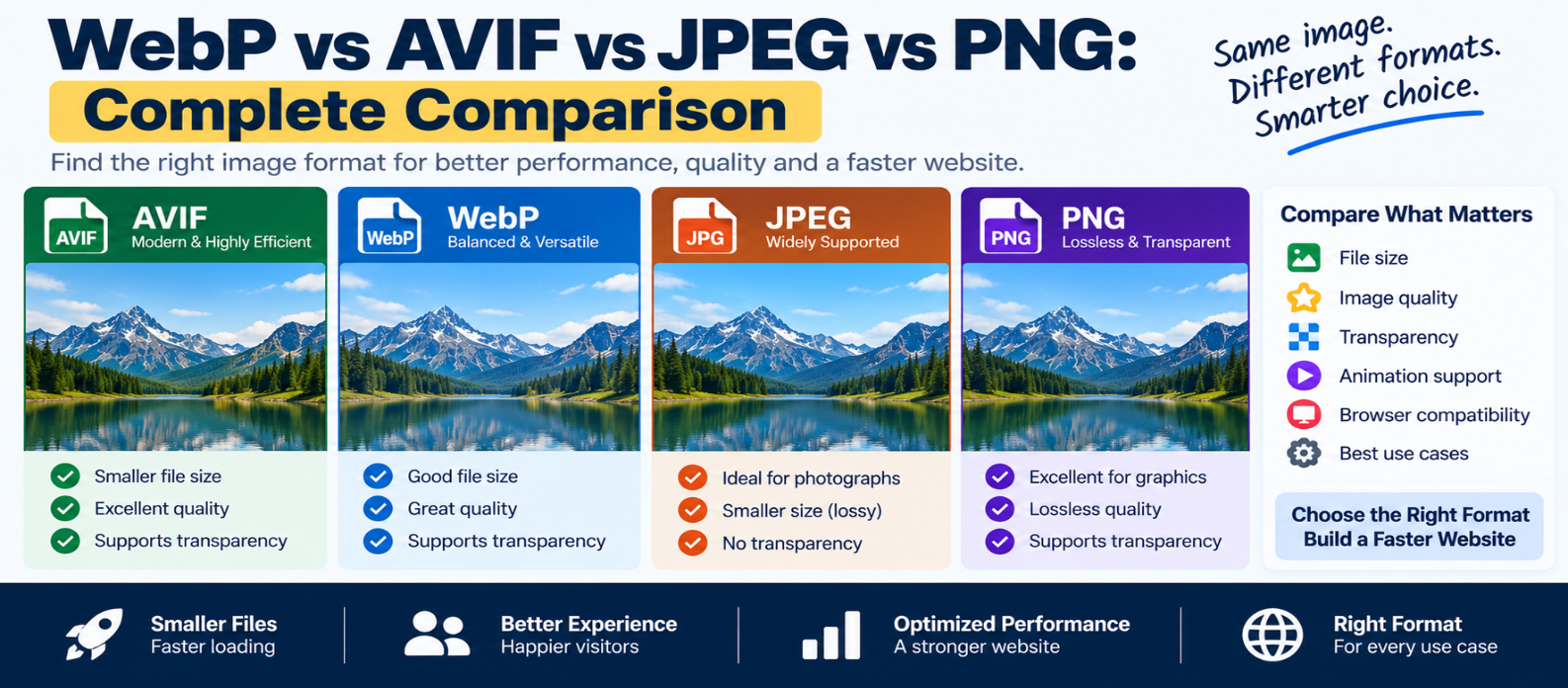
"Compare WebP vs AVIF vs JPEG vs PNG for websites, including image quality, compression, file size, transparency, animation, compatibility, photographs, screenshots, and practical guidance for choosing the right image format."
WebP vs AVIF vs JPEG vs PNG: Complete Comparison
Choosing an image format sounds simple until you export the same image as JPEG, PNG, WebP, and AVIF and get four very different files.
Which one should you actually use?
There isn't one format that wins every time. Photographs, transparent graphics, screenshots, thumbnails, and illustrations have different requirements.
The practical goal is to choose the format that delivers the visual quality you need without making visitors download unnecessary data.
Let's compare the four major raster image formats used on modern websites.
WebP vs AVIF vs JPEG vs PNG: Quick Comparison
| Feature | JPEG | PNG | WebP | AVIF |
|---|---|---|---|---|
| Lossy compression | Yes | No* | Yes | Yes |
| Lossless compression | No | Yes | Yes | Yes |
| Transparency | No | Yes | Yes | Yes |
| Animation | No | APNG possible | Yes | Supported |
| Good for photos | Yes | Usually inefficient | Yes | Yes |
| Broad modern browser support | Excellent | Excellent | Excellent | Strong |
| Typical web use | Photos | Graphics/transparency | General web images | Highly compressed modern images |
*Standard PNG primarily uses lossless compression.
File size varies significantly based on image content, dimensions, encoder, settings, and desired quality, so don't assume one format will always produce the smallest file.
What Is JPEG?
JPEG has been one of the standard formats for web photography for decades.
It uses lossy compression, meaning some image information is discarded to reduce file size.
JPEG works especially well for:
- Photographs
- Complex color gradients
- Blog photography
- Product photos
- Large photographic backgrounds
A photograph containing thousands of colors can often be compressed substantially while remaining visually acceptable.
JPEG Advantages
- Extremely broad compatibility
- Good photographic compression
- Simple workflow
- Widely supported by image-editing tools
JPEG Limitations
JPEG doesn't provide normal alpha transparency.
It's also less suitable for graphics containing sharp text, icons, or flat-color edges because compression artifacts may become noticeable.
What Is PNG?
PNG is a lossless raster image format.
Unlike lossy JPEG compression, PNG can preserve exact pixel information while compressing the image.
PNG is useful for:
- Graphics requiring transparency
- Interface elements
- Certain screenshots
- Diagrams
- Images containing sharp edges or text
For example, a transparent interface graphic may work well as PNG:
Background → Transparent
Icon       → Sharp edges
Text       → Crisp
PNG Advantages
- Lossless compression
- Alpha transparency
- Excellent for many graphics
- Very broad compatibility
PNG Limitations
PNG can become extremely large for photographic images.
A full-screen photograph saved as PNG may contain far more data than necessary compared with a suitable lossy format.
Don't choose PNG simply because you believe "higher quality is always better."
Visitors still have to download those bytes.
What Is WebP?
WebP is a modern image format designed for efficient web delivery.
It supports:
- Lossy compression
- Lossless compression
- Transparency
- Animation
This makes WebP more flexible than traditional JPEG in many website workflows.
For example:
Photograph    → Lossy WebP
Transparent UI → WebP
Animation      → Animated WebP
WebP Advantages
- Efficient compression
- Supports transparency
- Supports lossy and lossless modes
- Broad support in modern browsers
- Useful as a general-purpose website format
WebP Limitations
JPEG and PNG still have an advantage when compatibility with very old software or specialized workflows matters.
Encoding results also depend on settings. Simply converting a JPEG to WebP doesn't guarantee a meaningful improvement if poor settings are used.
What Is AVIF?
AVIF is a newer image format based on AV1 image compression technology.
It can provide excellent compression efficiency, particularly for many photographic images.
AVIF supports features including:
- Lossy compression
- Lossless compression
- Transparency
- High dynamic range capabilities
- Modern color features
- Animation
For suitable images, AVIF can provide strong visual quality at relatively small file sizes.
AVIF Advantages
- Highly efficient compression
- Good photographic performance
- Transparency support
- Advanced color and HDR capabilities
- Strong modern browser support
AVIF Limitations
Encoding can require more processing than older formats.
Image-processing pipelines and older software may also provide less convenient AVIF support than JPEG or PNG.
Most importantly, AVIF isn't guaranteed to produce the best result for every image.
Always compare actual outputs.
Which Format Produces the Smallest File?
This question doesn't have a universal answer.
Imagine the same source image:
JPEG → ?
PNG  → ?
WebP → ?
AVIF → ?
The results depend on:
- Image content
- Dimensions
- Quality setting
- Encoder
- Lossless vs lossy mode
- Metadata
- Chroma settings
- Desired visual quality
For photographs, AVIF or WebP can often outperform older formats at comparable perceived quality.
For a simple graphic, PNG or WebP lossless may perform differently.
Test the actual image rather than choosing by format reputation alone.
Best Format for Photographs
For modern websites, start by comparing:
AVIF → Strong compression candidate
WebP → Excellent practical balance
JPEG → Reliable fallback and universal workflow
For example:
Original Photo
     ↓
Generate AVIF
Generate WebP
Generate JPEG
     ↓
Compare Quality + File Size
Keep the version that best fits your delivery requirements.
Best Format for Transparency
If an image requires a transparent background, consider:
PNG
WebP
AVIF
JPEG isn't suitable for normal alpha transparency.
For simple logos and icons, however, SVG may be better than all four because vector graphics can scale without becoming pixelated.
Best Format for Screenshots
The right choice depends on the screenshot.
A screenshot containing:
- Text
- Flat colors
- Interface elements
- Sharp edges
may benefit from lossless or near-lossless compression.
Compare PNG with WebP or AVIF rather than automatically using JPEG.
For screenshots containing large photographic regions, lossy modern formats may provide better savings.
WebP vs AVIF
This is the most common modern comparison.
Choose WebP When:
- You want a mature general-purpose web format
- Encoding speed matters
- Your workflow already supports WebP well
- You need transparency or animation
- You want strong compression with broad compatibility
Choose AVIF When:
- Maximum compression efficiency is important
- Photographic content compresses well with AVIF
- Your image pipeline supports it efficiently
- Advanced color capabilities matter
You don't necessarily have to choose only one.
Websites can provide multiple formats.
Serving Multiple Formats With <picture>
HTML allows the browser to choose from supported sources:
<picture>
  <source
    srcset="photo.avif"
    type="image/avif">

  <source
    srcset="photo.webp"
    type="image/webp">

  <img
    src="photo.jpg"
    alt="Mountain landscape">
</picture>
Conceptually:
AVIF supported?
   ↓ Yes → AVIF

No
   ↓
WebP supported?
   ↓ Yes → WebP

No
   ↓
JPEG
However, don't create multiple formats unless the additional complexity provides meaningful value for your users.
Format Is Only Part of Image Optimization
Suppose you convert:
4000 × 3000 JPEGinto:
4000 × 3000 AVIFThe new file may be smaller, but you're still potentially delivering far more pixels than needed.
Image optimization also requires:
- Correct dimensions
- Responsive images
- Compression
- Lazy loading
- Proper LCP priority
- Browser caching
- CDN delivery where useful
Choosing AVIF doesn't automatically make an image optimized.
Common Image Format Mistakes
Converting Everything to AVIF
Newer doesn't automatically mean better for every image.
Using PNG for Large Photos
Lossless photographic files can become unnecessarily large.
Using JPEG for Transparent Graphics
JPEG doesn't support normal alpha transparency.
Comparing File Size Without Comparing Quality
A smaller image that looks noticeably worse isn't necessarily an optimization.
Ignoring Dimensions
A correctly sized JPEG may outperform an unnecessarily huge AVIF.
Keeping Unnecessary Metadata
Image files can contain metadata that may not be required for web delivery.
Simple Format Decision Guide
Use this starting point:
PHOTOGRAPH?
   ↓
Compare AVIF / WebP / JPEG

TRANSPARENCY?
   ↓
WebP / AVIF / PNG

LOSSLESS GRAPHIC?
   ↓
Compare WebP / PNG / AVIF

SIMPLE LOGO OR ICON?
   ↓
Consider SVG

LEGACY COMPATIBILITY CRITICAL?
   ↓
JPEG / PNG
Then compare real file sizes and visual quality.
Conclusion
There's no universal winner in WebP vs AVIF vs JPEG vs PNG.
Each format has a useful role:
JPEG → Reliable choice for photographs and maximum compatibility
PNG → Excellent for lossless graphics and transparency
WebP → Flexible modern format with strong compression and broad browser support
AVIF → Highly efficient modern option, particularly valuable for many photographic images
For most modern websites, WebP and AVIF deserve serious consideration, but don't convert images blindly.
Start with the image's purpose, choose appropriate dimensions, compare formats at similar visual quality, and deliver the smallest practical result.
The best image format isn't necessarily the newest one.
It's the format that gives your visitors the quality they need with the least unnecessary data.
Get a Free Access To 200+ Free Tools:
|
Home Page |
|
|
Calculator Tools |
|
|
Text & Converter Tools |
|
|
PDF & Image Tools |
|
|
Games & Developer Tools |
|
|
Resume Builder |