
JavaScript Performance Optimization: Complete Guide for 2026
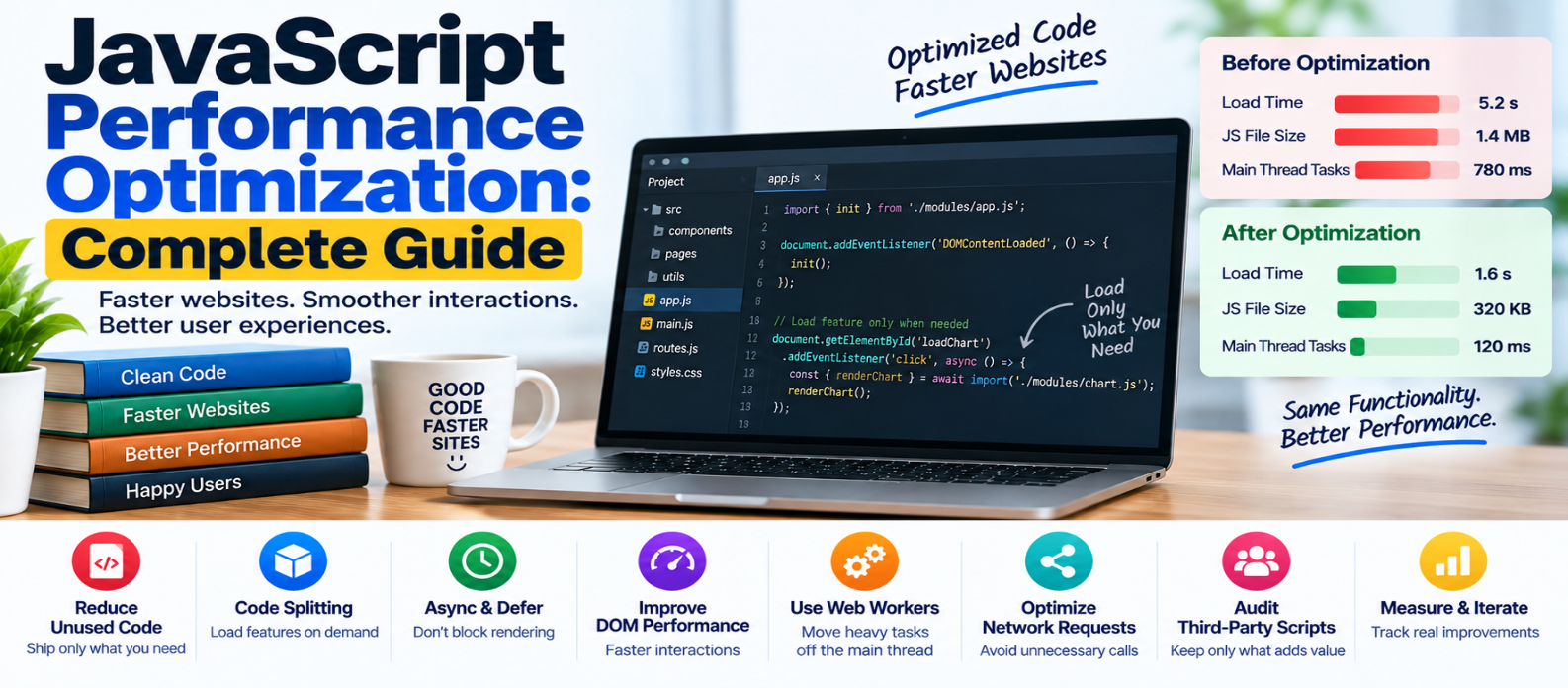
"Learn how to optimize JavaScript performance by reducing unused code, splitting bundles, using async and defer correctly, preventing long tasks, improving DOM and event performance, managing network requests, using Web Workers, and auditing third-party scripts."
JavaScript Performance Optimization: Complete Guide
JavaScript makes websites interactive, but it also creates work for the browser.
Before JavaScript can power a menu, dashboard, editor, or shopping cart, the browser may need to download, parse, compile, and execute the code. Too much work can delay page rendering and make interactions feel sluggish—especially on lower-powered devices.
JavaScript optimization isn't about removing every script. It's about sending less unnecessary code and doing necessary work efficiently.
Here's where to start.
Why JavaScript Performance Matters
A large JavaScript file affects more than download time.
Conceptually:
Download JavaScript
       ↓
Parse
       ↓
Compile
       ↓
Execute
       ↓
Update DOM
       ↓
Render Page
Even a compressed file must still be processed after it arrives.
Heavy JavaScript can contribute to:
- Slow initial rendering
- Poor interaction responsiveness
- High CPU usage
- Long main-thread tasks
- Increased memory usage
- Poor Interaction to Next Paint (INP)
The first optimization question should therefore be:
Does the browser need all this JavaScript?
1. Ship Less JavaScript
Removing unnecessary code is often more valuable than trying to make unnecessary code execute faster.
Audit:
- Unused libraries
- Duplicate dependencies
- Old features
- Unnecessary widgets
- Development-only code
- Large packages used for tiny functions
Suppose a page downloads:
app.js
charts.js
editor.js
maps.js
chat.js
but the visitor only needs app.js.
Loading everything immediately wastes bandwidth and browser processing.
2. Use Code Splitting
Instead of shipping one enormous bundle:
app.js → 900 KBsplit code around pages or features:
core.js
checkout.js
dashboard.js
editor.js
Now users can receive functionality closer to what they actually need.
Modern build systems can automate much of this process.
3. Load Features With Dynamic Imports
JavaScript can load modules on demand:
button.addEventListener("click", async () => {
  const module = await import("./editor.js");
  module.openEditor();
});
If a visitor never opens the editor, its JavaScript may never need to be downloaded.
Dynamic imports are particularly useful for heavy optional features such as:
- Editors
- Charts
- Maps
- Export tools
- Admin interfaces
Don't split code into hundreds of tiny files without reason. Network and execution overhead still matter.
4. Understand defer and async
A normal script can interfere with HTML parsing:
<script src="app.js"></script>For scripts that depend on the parsed document, defer is often useful:
<script src="app.js" defer></script>The script can download while HTML parsing continues and executes after the document has been parsed.
For independent scripts, async may be appropriate:
<script src="analytics.js" async></script>An async script executes when it becomes available, so execution order isn't guaranteed in the same way as deferred scripts.
Don't choose async simply because it sounds faster. Choose based on the script's dependencies and required execution order.
5. Break Up Long Tasks
JavaScript executes much work on the browser's main thread.
Suppose one task runs for hundreds of milliseconds:
████████████████████████████
             ↑
         User Clicks
The browser may not be able to respond promptly.
Where possible, divide large work into smaller chunks:
████ ████ ████ ████This creates opportunities for the browser to process higher-priority work.
Long tasks are particularly important when diagnosing poor INP.
6. Keep Event Handlers Focused
Avoid doing unrelated expensive work before giving users feedback.
Instead of:
CLICK
 ↓
Calculate recommendations
 ↓
Run analytics
 ↓
Update unrelated data
 ↓
Open menu
prefer:
CLICK
 ↓
Open menu
 ↓
Schedule lower-priority work
The interface should acknowledge the user's action quickly.
7. Reduce Unnecessary DOM Work
Repeated DOM manipulation can become expensive.
Instead of repeatedly changing elements in a large loop, consider batching related changes.
Also avoid constantly querying the same element:
const total = document.querySelector("#total");

total.textContent = "100";
total.classList.add("updated");
For complex interfaces, profile first. Modern browsers optimize many operations, so assumptions about DOM performance can be misleading.
8. Avoid Layout Thrashing
Some JavaScript patterns repeatedly read layout information and then change layout-related styles.
Conceptually:
Read Layout
   ↓
Change Style
   ↓
Read Layout
   ↓
Change Style
   ↓
Repeat
This can force the browser to perform additional layout calculations.
Where practical, group layout reads together and then batch related writes.
Don't optimize this blindly—use browser performance diagnostics to confirm that layout work is actually expensive.
9. Use Event Delegation When Appropriate
Imagine 1,000 list items.
Instead of attaching a separate listener to every item, you can sometimes attach one listener to a shared parent:
list.addEventListener("click", event => {
  const item = event.target.closest(".item");

  if (!item) return;

  handleItem(item);
});
This is called event delegation.
It can simplify dynamically generated interfaces and reduce the number of listeners required.
Use it only when the event behavior and DOM structure make it appropriate.
10. Debounce Expensive Repeated Work
Some events can fire frequently.
For example:
User types:
J → Ja → Jav → Java → JavaS
Sending a search request after every keystroke may be unnecessary.
A debounced function waits briefly before running:
let timer;

input.addEventListener("input", () => {
  clearTimeout(timer);

  timer = setTimeout(() => {
    search(input.value);
  }, 300);
});
Debouncing can be useful for search inputs, resizing, and other frequently triggered operations.
Don't introduce noticeable delays into interactions that should respond immediately.
11. Avoid Unnecessary Network Requests
JavaScript often triggers API requests.
Look for:
- Duplicate requests
- Data fetched but never displayed
- Repeated requests for unchanged information
- Requests made long before data is needed
Where appropriate, reuse existing results or cache data according to the application's freshness requirements.
Reducing unnecessary network work can improve both performance and server efficiency.
12. Move Heavy Computation Off the Main Thread
Some CPU-intensive work can run in a Web Worker.
Conceptually:
Main Thread             Worker
    │                     │
    ├── Send Data ───────→ │
    │                      ├── Heavy Calculation
    │                      │
    │ ←──── Result ────────┤
    ↓
Update Interface
Workers can help with tasks such as substantial data processing without blocking the main interface thread.
They aren't a universal solution because communication and data transfer also have costs.
13. Watch Memory Usage
Applications that remain open for long periods can suffer from unnecessary memory retention.
Common causes can include:
- Forgotten timers
- Unremoved event listeners
- References to unused DOM elements
- Large cached objects
- Detached DOM trees
Don't manually "optimize memory" without evidence.
Use memory profiling tools to find actual leaks.
14. Audit Third-Party JavaScript
Third-party scripts compete for the same browser resources as your own code.
Common examples include:
Analytics
Advertisements
Chat Widgets
A/B Testing
Social Embeds
Tracking
Ask whether every script provides enough value to justify its performance cost.
Remove unnecessary scripts and delay nonessential functionality when appropriate.
15. Minify and Compress JavaScript
Production JavaScript should generally be minified.
For example:
function calculateTotal(price, quantity) {
  return price * quantity;
}
can be represented more compactly by production tooling.
HTTP compression can further reduce transfer size.
Remember: compression helps network transfer, but the browser still needs to process the resulting JavaScript after decompression.
16. Measure Before and After
Don't optimize based on assumptions.
A practical workflow is:
MEASURE
   ↓
FIND BOTTLENECK
   ↓
IDENTIFY EXPENSIVE SCRIPT
   ↓
REMOVE / SPLIT / DEFER / OPTIMIZE
   ↓
MEASURE AGAIN
Use browser performance diagnostics to investigate:
- Long tasks
- Main-thread activity
- Script execution
- Layout work
- Network requests
- Memory usage
Real-user performance data can then show whether the improvement helps actual visitors.
Common JavaScript Performance Mistakes
Avoid these:
Loading every feature upfront even when most visitors never use it.
Adding libraries for trivial tasks without considering their cost.
Running expensive work inside interactions before providing feedback.
Optimizing tiny loops while ignoring a massive unused dependency.
Using async everywhere without understanding execution order.
Ignoring third-party scripts because they're maintained by someone else.
Testing only on powerful desktops while visitors may use slower phones.
What Should You Optimize First?
A useful priority is:
1. Unnecessary JavaScript
        ↓
2. Huge bundles
        ↓
3. Long main-thread tasks
        ↓
4. Slow interactions
        ↓
5. Third-party scripts
        ↓
6. Excessive DOM/rendering work
        ↓
7. Smaller code-level optimizations
Don't spend hours making a tiny function 5% faster while shipping hundreds of kilobytes of JavaScript nobody uses.
Fix the largest problem first.
Conclusion
JavaScript performance optimization is less about clever code and more about controlling how much work the browser must perform and when it performs it.
Focus on:
Remove → Don't ship unnecessary code
Split → Load features when needed
Defer → Don't block important content unnecessarily
Break Up → Prevent long tasks
Respond → Keep interactions fast
Reduce → Minimize unnecessary DOM and network work
Audit → Control third-party JavaScript
Measure → Verify every meaningful optimization
A fast JavaScript application isn't one with the shortest source code.
It's one that delivers the required functionality while consuming as little unnecessary network, CPU, memory, and main-thread time as practical.
Get a Free Access To 200+ Free Tools:
|
Home Page |
|
|
Calculator Tools |
|
|
Text & Converter Tools |
|
|
PDF & Image Tools |
|
|
Games & Developer Tools |
|
|
Resume Builder |