
HTTPS Explained: How SSL/TLS Protects Your Website
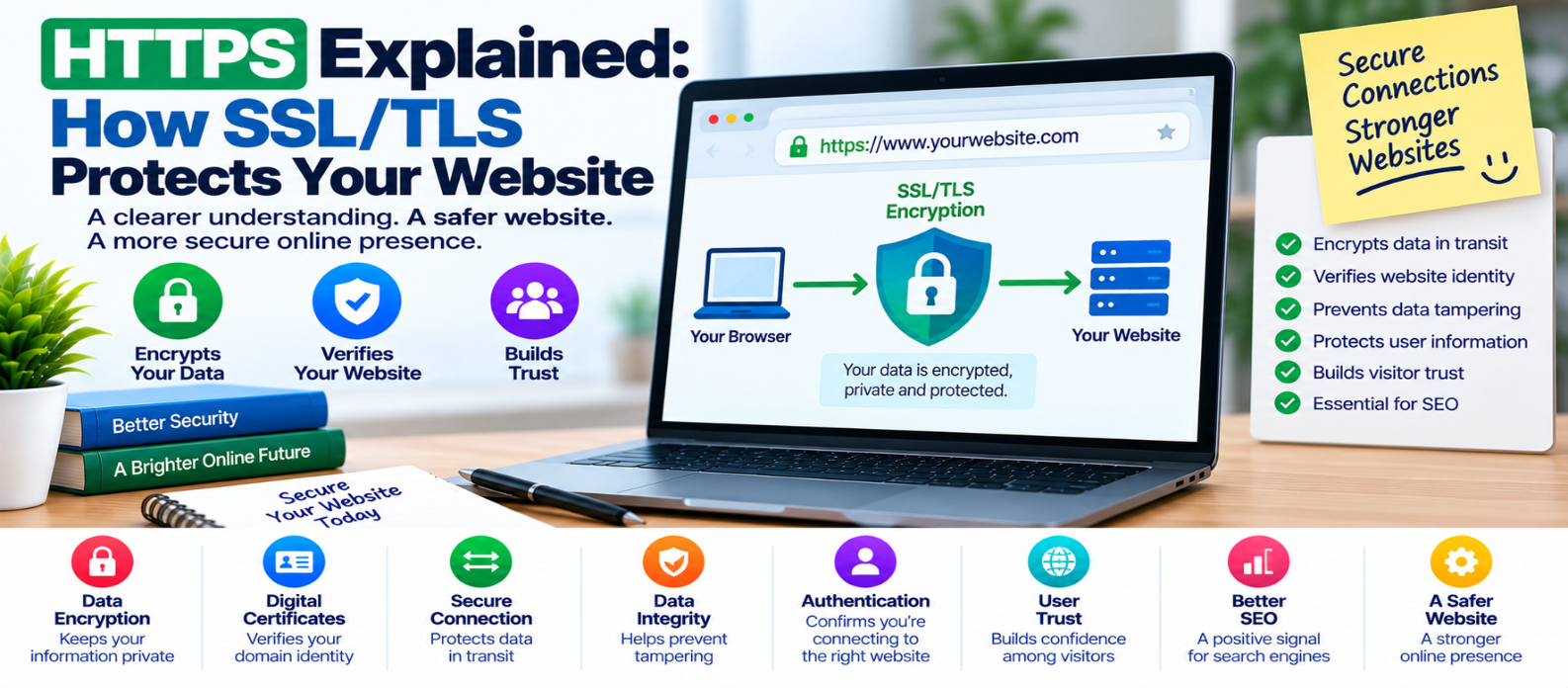
"Learn how HTTPS protects websites using TLS encryption, digital certificates, authentication and secure key exchange, plus how the TLS handshake works, what HTTPS protects, and what it cannot secure."
HTTPS Explained: How SSL/TLS Protects Your Website
When you visit a website and see https:// at the beginning of its address, your browser is using an encrypted connection to communicate with that site.
That protection matters whenever information travels across the internet—from a simple page request to passwords, payment details, form submissions, or account information.
But what actually happens behind HTTPS? And where do SSL and TLS fit in?
Here's a practical explanation.
What Is HTTPS?
HTTPS stands for Hypertext Transfer Protocol Secure.
Regular HTTP transfers web requests and responses. HTTPS uses HTTP over a secure TLS connection.
Conceptually:
HTTP
Browser ───────────── Website

HTTPS
Browser ══ Encrypted Connection ══ Website
HTTPS primarily provides three important security properties:
- Confidentiality — helps prevent others on the network from reading transmitted data.
- Integrity — helps detect unauthorized modification of data in transit.
- Authentication — helps the browser verify that it is communicating with the domain represented by the certificate.
SSL vs TLS: What's the Difference?
People often say "SSL certificate," but modern HTTPS uses TLS — Transport Layer Security.
SSL was the older family of protocols and is obsolete.
The term SSL certificate remains common in hosting dashboards and everyday conversation, but technically the certificate is used as part of modern TLS-based HTTPS.
So when someone says:
"Install SSL on the website."
they generally mean:
"Configure a valid certificate and enable HTTPS using modern TLS."
What Is a TLS Certificate?
A TLS certificate is a digital certificate that connects identifying information—most importantly a domain name—to a public key.
It commonly contains information such as:
Domain name
Issuer
Validity period
Public key
Digital signature
A trusted Certificate Authority (CA) issues or signs certificates according to defined validation procedures.
Your browser maintains trust information that allows it to evaluate the certificate chain.
What Happens When You Open an HTTPS Website?
Suppose you enter:
https://example.comBefore normal HTTP data is exchanged securely, the browser and server establish a TLS connection.
A simplified sequence looks like this:
Browser
   ↓
Hello + supported TLS options
   ↓
Server responds + certificate
   ↓
Browser validates certificate
   ↓
Cryptographic key agreement
   ↓
Secure session established
   ↓
Encrypted HTTP communication
Modern TLS handshakes contain more detail than this, but the model explains the essential process.
Step 1: The Browser Connects
The browser contacts the server and provides information needed to negotiate a secure connection, including supported cryptographic options.
The server responds with its selected parameters and certificate information.
Step 2: The Browser Checks the Certificate
The browser performs important checks.
For example:
Does the certificate cover the requested domain?
A certificate intended for another domain shouldn't authenticate the site you're visiting.
Is it currently valid?
Certificates have defined validity periods.
Does it chain to a trusted authority?
The browser attempts to establish a valid chain of trust.
Is the certificate and connection configuration acceptable?
If critical validation fails, the browser may display a security warning rather than treating the connection as normally trusted.
Step 3: Secure Keys Are Established
The browser and server use cryptographic mechanisms to establish shared session keys without simply sending those session keys across the network as readable secrets.
Modern TLS typically uses asymmetric cryptography during authentication and key establishment, then efficient symmetric encryption for the session.
Why?
Symmetric encryption is much faster for protecting the large amount of data exchanged during normal browsing.
Step 4: Website Traffic Is Encrypted
After the secure session is established, normal HTTP communication occurs inside the TLS connection.
Instead of exposing readable information such as:
username=alex
password=example-password
the transmitted application data is protected cryptographically.
Someone merely observing the network traffic shouldn't be able to read the protected contents as ordinary plaintext.
What Does HTTPS Protect?
HTTPS protects data while it travels between the browser and the HTTPS endpoint.
That can include:
- Page contents
- Login credentials
- Form submissions
- Cookies when configured and transmitted appropriately
- API requests
- Search queries sent to the site
- Account information
It also helps prevent attackers on the network from silently modifying protected traffic.
HTTPS Does Not Make a Website Automatically Safe
This distinction is extremely important.
A malicious website can still use HTTPS.
HTTPS means the connection is protected and the certificate authenticates the relevant domain identity according to the certificate validation model. It does not mean every website using HTTPS is trustworthy.
HTTPS does not automatically prevent:
- Malware on the server
- SQL injection
- Cross-site scripting
- Weak passwords
- Stolen administrator accounts
- Vulnerable plugins
- Poor access controls
- Application bugs
Think of HTTPS as protecting the communication channel, not fixing every security problem inside the website.
Why HTTP Is Riskier
With unencrypted HTTP, information can potentially be observed or modified by parties able to intercept network traffic.
Consider a login form.
Without transport encryption:
Browser
   ↓
Readable Network Traffic
   ↓
Server
With correctly configured HTTPS:
Browser
   ↓
TLS-Protected Traffic
   ↓
Server
That's why HTTPS should be used across the website rather than only on a login or checkout page.
What Is Mixed Content?
A page can load through HTTPS while still requesting some resources using HTTP.
For example:
<img src="http://example.com/image.jpg">This creates mixed content.
Depending on the resource type and browser behavior, insecure requests may be blocked or reduce the security of the page.
Website owners should update internal resources so they load securely through HTTPS where available.
HTTP to HTTPS Redirects
After enabling HTTPS, requests to the old HTTP version should generally redirect to the secure version.
For example:
http://example.com
        ↓
https://example.com
Also update internal links, canonical configuration, sitemaps, API endpoints, and hard-coded resource URLs where necessary.
Avoid unnecessary chains such as:
HTTP
 ↓
HTTPS + www
 ↓
HTTPS without www
 ↓
Final Page
A direct redirect to the preferred final URL is cleaner.
HTTPS Checklist for Website Owners
After enabling HTTPS, verify:
-
Certificate is valid
-
Correct domain names are covered
-
Modern TLS configuration is used
-
HTTP redirects to HTTPS
-
Internal resources use HTTPS
-
Mixed-content problems are resolved
-
Important cookies use appropriate security attributes
-
Certificate renewal is reliable
-
Old hard-coded HTTP URLs are updated
-
APIs and forms submit through HTTPS
-
Redirect loops and chains are avoided
-
Website security is maintained beyond HTTPS
Conclusion
HTTPS may look like a small change in a browser address bar, but substantial security technology operates behind it.
The basic process is:
Connect
   ↓
Authenticate
   ↓
Establish Keys
   ↓
Encrypt
   ↓
Exchange Protected Data
TLS helps your browser confirm the domain it is communicating with and protects information against reading or modification while it travels across the network.
But HTTPS is only one layer of website security.
A secure website also needs strong authentication, updated software, careful permissions, secure application code, backups, monitoring, and responsible data handling.
HTTPS protects the journey of your data. Good website security protects the entire system around it.
Get a Free Access To 200+ Free Tools:
|
Home Page |
|
|
Calculator Tools |
|
|
Text & Converter Tools |
|
|
PDF & Image Tools |
|
|
Games & Developer Tools |
|
|
Resume Builder |