
HTTP Security Headers: Complete Guide for Website Security
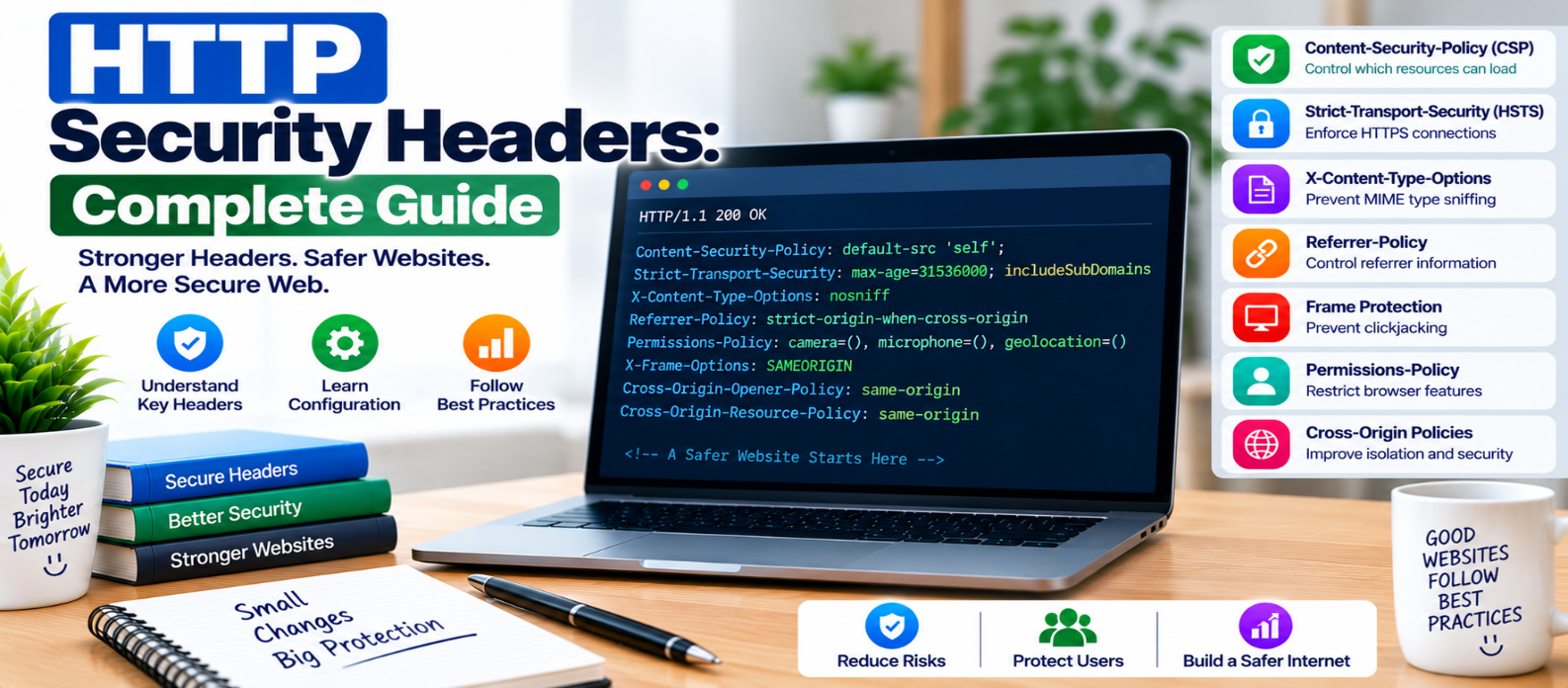
"Learn how HTTP security headers protect websites, including Content Security Policy, HSTS, X-Content-Type-Options, Referrer-Policy, frame protection, Permissions-Policy and cross-origin security controls."
HTTP Security Headers: Complete Guide for Website Security
Website security isn't controlled only by application code. Every time a server sends a webpage, it can also send HTTP response headers that tell the browser how certain security-sensitive behavior should be handled.
These headers can help restrict malicious scripts, prevent unwanted framing, enforce HTTPS, control referrer information, and reduce other browser-side risks.
They are valuable defense-in-depth measures—but they don't replace secure code.
What Are HTTP Security Headers?
When a browser requests a page, the server returns a response containing headers followed by the page content.
Conceptually:
HTTP/1.1 200 OK
Content-Type: text/html
Content-Security-Policy: ...
Referrer-Policy: ...
X-Content-Type-Options: nosniff

<html>
...
</html>
Visitors normally don't see these headers, but browsers use them to determine how the page should behave.
Let's examine the most useful security-related headers.
1. Content-Security-Policy (CSP)
Content Security Policy controls which sources a webpage is permitted to use for resources such as scripts, styles, images, fonts, and connections.
A basic policy might look like:
Content-Security-Policy: default-src 'self''self' means resources are generally restricted to the site's own origin under this policy.
Real websites often require more detailed rules:
Content-Security-Policy:
  default-src 'self';
  img-src 'self' https: data:;
  object-src 'none';
  base-uri 'self';
CSP can significantly strengthen browser security and reduce the impact of some content-injection vulnerabilities.
However, don't copy a strict policy directly into production without testing. It can block legitimate scripts, fonts, images, analytics, or other functionality.
A safer deployment process is:
Inventory Resources
       ↓
Design Policy
       ↓
Test
       ↓
Review Violations
       ↓
Enforce
CSP is an additional defense against XSS—not a substitute for output encoding, sanitization, or safe DOM programming.
2. Strict-Transport-Security (HSTS)
HSTS tells compatible browsers to access a domain using HTTPS for a specified period.
Example:
Strict-Transport-Security: max-age=31536000This instructs the browser to remember the HTTPS requirement for the specified number of seconds.
Optional directives can extend the policy to subdomains.
HSTS should only be enabled after HTTPS is correctly configured and reliably available.
Be particularly careful before applying HSTS broadly to subdomains, because those subdomains must also support HTTPS correctly.
3. X-Content-Type-Options
A simple but useful header is:
X-Content-Type-Options: nosniffIt tells browsers not to reinterpret certain resources as a different MIME type from the one declared by the server.
Correct Content-Type headers should still be configured for your resources.
Think of nosniff as reinforcement for proper content-type handling, not a replacement for it.
4. Referrer-Policy
When users follow links or browsers request resources, referrer information may be sent to another destination.
Referrer-Policy controls how much information is shared.
For example:
Referrer-Policy: strict-origin-when-cross-originDifferent policies provide different balances between privacy, analytics, and functionality.
Website owners should deliberately choose a policy instead of assuming every destination needs the complete referring URL.
This can be particularly important when URLs contain information that shouldn't unnecessarily travel to external sites.
5. Frame Protection
Attackers may attempt to display a website inside a frame and trick visitors into interacting with it—commonly associated with clickjacking.
A modern CSP approach can control framing:
Content-Security-Policy: frame-ancestors 'self'This permits framing by the same origin while restricting other origins.
An older header still encountered is:
X-Frame-Options: SAMEORIGINX-Frame-Options supports more limited framing rules, while CSP's frame-ancestors provides more flexible control.
If your website legitimately needs to be embedded elsewhere, configure framing restrictions according to that requirement rather than blocking everything automatically.
6. Permissions-Policy
Modern browsers expose powerful features such as cameras, microphones, geolocation, and other capabilities.
Permissions-Policy can restrict access to supported browser features.
For example:
Permissions-Policy:
  camera=(),
  microphone=(),
  geolocation=()
This example disables those features for the document.
Your actual policy should reflect what the website needs.
A video-conferencing application obviously requires different permissions from a simple informational blog.
The principle is least privilege: don't enable browser capabilities your site doesn't use.
7. Cross-Origin Security Headers
Some applications need stronger control over how documents and resources interact across origins.
Headers such as:
Cross-Origin-Opener-Policy
Cross-Origin-Resource-Policy
Cross-Origin-Embedder-Policy
can provide additional isolation or resource-sharing controls.
These are more application-dependent than headers such as nosniff.
Don't enable strict cross-origin isolation simply because it sounds more secure. It can affect embedded resources, authentication flows, popups, third-party content, and other application behavior.
Use these headers when your architecture and security requirements justify them.
What About X-XSS-Protection?
Older security recommendations often included:
X-XSS-ProtectionThis controlled legacy browser XSS filtering behavior.
Modern security architecture should not depend on this obsolete mechanism.
Prioritize:
- Context-aware output encoding
- Safe DOM APIs
- HTML sanitization where required
- Strong CSP
- Maintained frameworks and dependencies
Security guidance changes as browsers evolve, so old header checklists shouldn't be copied indefinitely.
Where Should Security Headers Be Configured?
Headers can be added at several layers:
CDN / Edge
     ↓
Web Server
     ↓
Application
     ↓
HTTP Response
     ↓
Browser
The right location depends on your infrastructure.
Some policies are site-wide, while others may need page-specific values.
After configuration, inspect actual production responses. Don't assume a setting is active merely because it exists in a configuration file.
Common Security Header Mistakes
Copying Policies Without Understanding Them
A CSP designed for another website may either break yours or allow resources you don't need.
Using * Everywhere
Overly broad permissions can undermine the purpose of restrictive policies.
Enabling HSTS Too Early
Make sure HTTPS works reliably before instructing browsers to insist on it.
Assuming Headers Fix Vulnerable Code
Security headers can't repair SQL injection, broken authorization, weak passwords, or unsafe backend logic.
Forgetting APIs and Error Responses
Security-relevant headers may need consideration across more than the homepage.
Never Testing After Deployment
A security policy that silently breaks payments, login, media, or essential scripts isn't a successful deployment.
Practical HTTP Security Headers Checklist
Review whether your website appropriately uses:
-
Content-Security-Policy -
Strict-Transport-Security -
X-Content-Type-Options: nosniff -
Referrer-Policy -
CSP
frame-ancestorsor appropriate frame protection -
Permissions-Policy -
Cross-origin policies where actually required
-
Correct
Content-Typevalues -
HTTPS throughout the website
-
Secure cookie attributes where appropriate
-
Policies tested before strict enforcement
-
Production responses verified after deployment
Conclusion
HTTP security headers create instructions that help the browser enforce important security boundaries.
A practical layered approach looks like:
Secure Application Code
        +
HTTPS
        +
Authentication & Authorization
        +
Security Headers
        +
Monitoring
        =
Stronger Website Security
Start with headers that solve clear problems, configure them according to your website's actual architecture, and test the results carefully.
The goal isn't to collect the largest possible number of security headers.
It's to apply the right browser protections, with the right policies, for the right website.
Get a Free Access To 200+ Free Tools:
|
Home Page |
|
|
Calculator Tools |
|
|
Text & Converter Tools |
|
|
PDF & Image Tools |
|
|
Games & Developer Tools |
|
|
Resume Builder |