
HTML vs CSS vs JavaScript: What's the Difference? Complete Guide for 2026
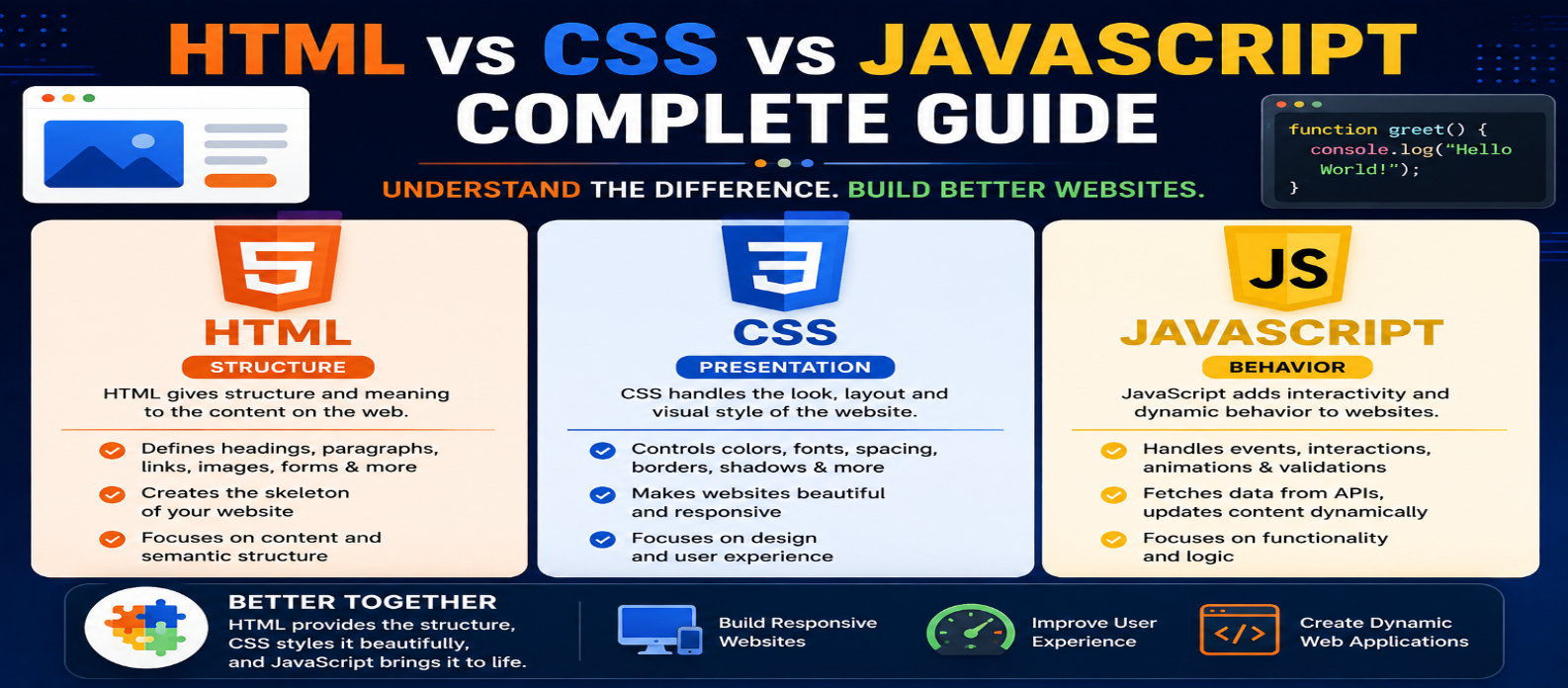
"Understand the difference between HTML, CSS, and JavaScript, what each technology does, how they work together, which one to learn first, and practical examples for beginners."
HTML vs CSS vs JavaScript: What's the Difference? Complete Guide for 2026
Every website you open in a browser is built from technologies that work together. For frontend development, three names appear almost immediately: HTML, CSS, and JavaScript.
Beginners often wonder which one they should learn first or whether they perform similar jobs. They don't.
A useful way to remember their roles is:
HTML = Structure
CSS = Presentation
JavaScript = Behavior
Understanding how these technologies interact is one of the first important steps toward building websites.
HTML vs CSS vs JavaScript at a Glance
| Technology | Main Purpose | Common Uses |
|---|---|---|
| HTML | Structure and meaning | Headings, paragraphs, forms, links, images |
| CSS | Presentation and layout | Colors, spacing, typography, responsive layouts |
| JavaScript | Behavior and logic | Interactions, dynamic content, API requests |
They aren't competing alternatives. A typical webpage uses all three together.
What Is HTML?
HTML (HyperText Markup Language) describes the structure and meaning of webpage content.
For example:
<article>
  <h1>Learn Web Development</h1>
  <p>Start with HTML, CSS and JavaScript.</p>
  <button>Start Learning</button>
</article>
HTML tells the browser that the page contains an article, heading, paragraph, and button.
Common HTML elements include:
<header>
<nav>
<main>
<section>
<article>
<h1>
<p>
<a>
<img>
<form>
<button>
<footer>
Good HTML isn't merely about making something appear on screen. Semantic structure can also help browsers, search engines, assistive technologies, and developers understand the content.
What Is CSS?
CSS (Cascading Style Sheets) controls how HTML content is presented.
Suppose we have this HTML:
<button class="signup">Create Account</button>CSS can transform its appearance:
.signup {
  background: #2563eb;
  color: white;
  padding: 12px 20px;
  border: 0;
  border-radius: 8px;
}
CSS commonly controls:
- Colors
- Fonts
- Spacing
- Borders
- Sizes
- Positioning
- Grid layouts
- Flexbox layouts
- Responsive design
- Transitions and animations
HTML defines what the button is.
CSS determines how the button looks and fits into the layout.
What Is JavaScript?
JavaScript is a programming language used to add logic, dynamic behavior, and interaction to web applications.
Imagine the same button:
<button id="messageButton">Click Me</button>
<p id="message"></p>
JavaScript can make it interactive:
const button =
  document.querySelector("#messageButton");

const message =
  document.querySelector("#message");

button.addEventListener("click", () => {
  message.textContent = "Welcome!";
});
Now clicking the button changes the page.
JavaScript can also:
- Validate forms
- Update page content
- Open interactive menus
- Create sliders and tabs
- Handle user events
- Fetch data from APIs
- Store browser data
- Build complex web applications
This is where webpages can become significantly more dynamic.
How HTML, CSS, and JavaScript Work Together
Consider a simple product card.
HTML: Build the Structure
<div class="product">
  <h2>Wireless Keyboard</h2>
  <p>₹2,499</p>
  <button id="buyButton">Add to Cart</button>
</div>
CSS: Design It
.product {
  max-width: 320px;
  padding: 20px;
  border: 1px solid #ddd;
  border-radius: 12px;
}

.product button {
  padding: 10px 16px;
  cursor: pointer;
}
JavaScript: Add Behavior
const button =
  document.querySelector("#buyButton");

button.addEventListener("click", () => {
  button.textContent = "Added!";
});
The result illustrates their relationship perfectly:
HTML creates the product card.
CSS styles the product card.
JavaScript reacts when someone interacts with it.
A Simple Analogy
Think about building a house.
HTML = Structure
HTML is similar to the rooms, doors, walls, and overall structure.
CSS = Appearance
CSS is similar to paint, decoration, spacing, furniture arrangement, and visual design.
JavaScript = Functionality
JavaScript is similar to switches, automatic doors, alarms, and other interactive systems.
The analogy isn't technically exact, but it helps beginners remember the different responsibilities.
Is HTML a Programming Language?
HTML is a markup language, not a programming language.
It describes content and document structure.
CSS is a style sheet language.
JavaScript is a programming language.
This distinction matters because learning JavaScript introduces concepts that aren't required in the same way when starting HTML.
For example:
const price = 500;
const quantity = 3;

const total = price * quantity;

console.log(total);
JavaScript works with variables, calculations, functions, conditions, objects, and application logic.
Can You Build a Website With Only HTML?
Yes.
A browser can display a webpage containing only HTML.
It may not have sophisticated styling or JavaScript-powered interactions, but HTML alone can represent meaningful webpage content.
Can You Use HTML and CSS Without JavaScript?
Absolutely.
Many pages can deliver useful content and attractive responsive layouts with HTML and CSS alone.
JavaScript should be added when the experience actually requires additional behavior or logic.
Using more JavaScript doesn't automatically make a website better.
Can JavaScript Replace HTML and CSS?
JavaScript can create HTML elements and modify styles dynamically, but that doesn't make HTML and CSS unnecessary.
For example:
const heading = document.createElement("h1");
heading.textContent = "Hello World";

document.body.append(heading);
JavaScript created an HTML element, but the browser still ultimately works with document structure.
Separating structure, presentation, and behavior appropriately usually makes frontend code easier to understand and maintain.
Which Should You Learn First?
For most beginners, this order works well:
1. HTML
Learn:
Page Structure → Semantic Elements → Links → Images → Forms
2. CSS
Then learn:
Selectors → Box Model → Flexbox → Grid → Responsive Design
3. JavaScript
Finally move into:
Variables → Functions → Arrays → Objects → DOM → Events → Async JavaScript → APIs
The progression makes sense because JavaScript frequently interacts with HTML elements that have already been styled with CSS.
Example: Form Validation
HTML creates the form:
<form id="signup">
  <input id="email" type="email">
  <button>Sign Up</button>
</form>
CSS can control its layout and appearance.
JavaScript can add application-specific behavior:
const form = document.querySelector("#signup");

form.addEventListener("submit", event => {
  console.log("Form submitted");
});
It's worth noting that HTML itself provides useful built-in validation features such as type="email" and required.
Use native browser capabilities where they solve the problem, then add JavaScript when custom behavior is genuinely needed.
HTML vs CSS vs JavaScript for SEO
All three can affect the overall quality of a website, but in different ways.
HTML provides meaningful content structure, headings, links, image information, and semantic elements.
CSS helps create responsive, readable interfaces, although poorly designed or excessive styles can hurt usability and performance.
JavaScript enables dynamic experiences, but unnecessarily heavy scripts can affect performance and accessibility if implemented poorly.
SEO-friendly development isn't about choosing one technology over another. It's about using each appropriately.
Common Beginner Mistakes
Using HTML Only for Appearance
Choose elements based on meaning and structure, not merely their default appearance.
Using CSS for Content
Important page content generally belongs in HTML rather than being inserted purely for visual decoration through CSS.
Using JavaScript for Everything
Before writing JavaScript, ask whether HTML or CSS already provides a simpler solution.
Learning Frameworks Too Early
A framework is much easier to understand when you already know the HTML, CSS, and JavaScript concepts underneath it.
A Practical Learning Project
Build a small to-do application.
Use HTML for:
Input → Button → Task List
Use CSS for:
Layout → Colors → Spacing → Mobile Design
Use JavaScript for:
Add Task → Mark Complete → Delete Task → Save Tasks
One small project can demonstrate how the three technologies cooperate far better than memorizing isolated syntax.
Final Comparison
The simplest explanation is still the most useful:
HTML tells the browser what the content is.
CSS tells the browser how that content should be presented.
JavaScript adds programming logic and behavior.
You don't need to choose between them if your goal is frontend web development.
Learn HTML first, CSS second, and JavaScript third, then practice combining them in real projects. Once you understand how each layer contributes to a webpage, more advanced frontend technologies become much easier to learn.