
How to Reduce Website Loading Time: Practical Guide for 2026
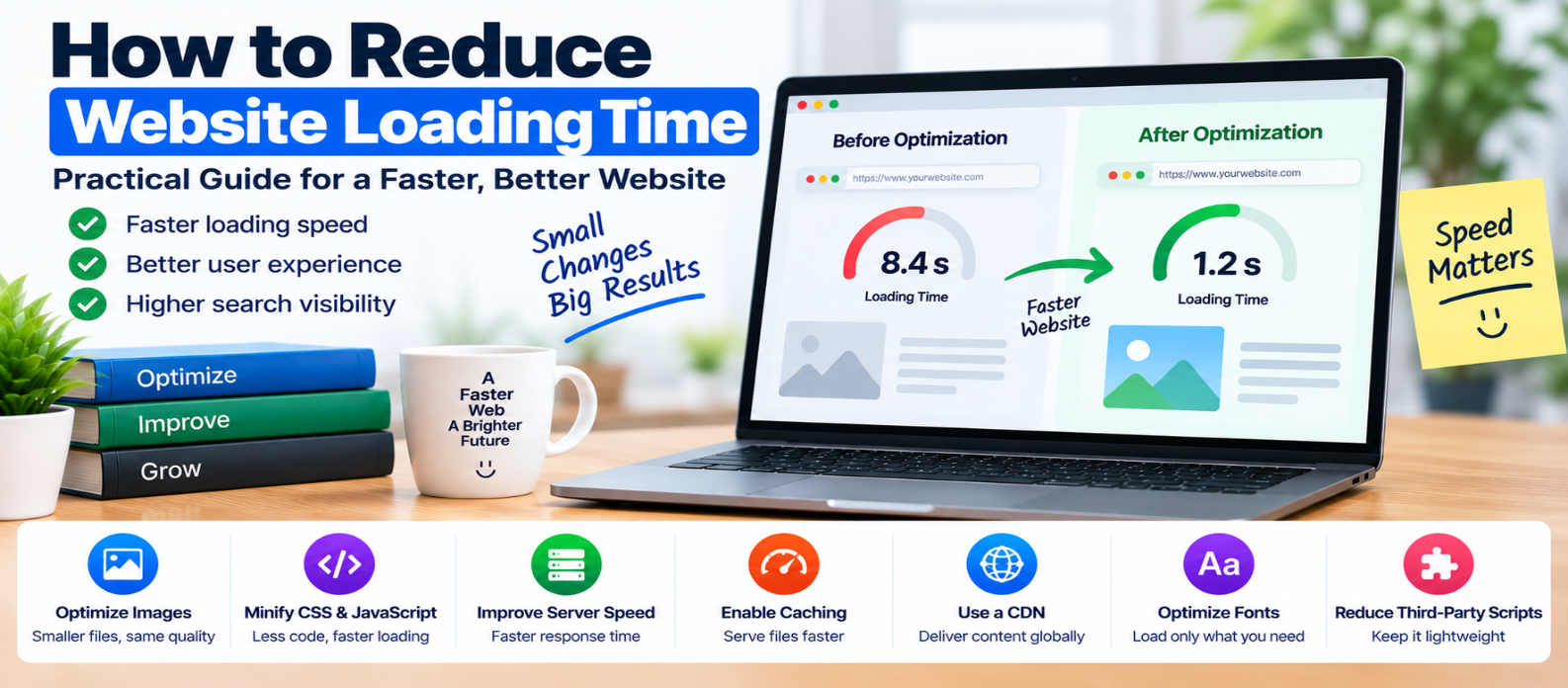
"Learn how to reduce website loading time by optimizing images, JavaScript, CSS, server response, caching, compression, fonts, CDNs, lazy loading and third-party scripts for a faster user experience."
How to Reduce Website Loading Time: Practical Guide for 2026
A slow website isn't always caused by slow hosting.
A page can take too long to load because of oversized images, excessive JavaScript, render-blocking CSS, poor caching, slow database queries, web fonts, third-party scripts, or several smaller problems happening together.
The most effective approach is simple:
Measure → Find the bottleneck → Fix it → Measure again.
Here's how to reduce website loading time without sacrificing useful content or design.
What Makes a Website Load Slowly?
When someone visits a page, several things must happen:
Browser requests page
        ↓
Server responds
        ↓
HTML downloads
        ↓
CSS, JavaScript, fonts and images load
        ↓
Browser processes resources
        ↓
Page becomes visible and interactive
A delay anywhere in this chain can make the website feel slow.
That's why there isn't one universal "speed setting" that fixes every website.
1. Measure Before Optimizing
Don't begin by randomly deleting files or installing optimization plugins.
First identify:
- Slow server responses
- Large resources
- Render-blocking files
- Heavy JavaScript
- Large images
- Layout instability
- Slow interactions
Also check the three Core Web Vitals:
LCP — How quickly does the main content appear?
INP — How responsive are user interactions?
CLS — Does the layout remain visually stable?
Record your starting performance so you can compare results after making changes.
2. Optimize Large Images
Images are often among the largest page resources.
Suppose a website displays an image at:
800 × 600but sends a:
4000 × 3000file.
The browser may download far more image data than necessary.
Improve image delivery by:
- Resizing images appropriately
- Compressing files
- Comparing WebP and AVIF where appropriate
- Using responsive images
- Lazy-loading offscreen images
- Reserving image dimensions
Example:
<img
  src="photo-800.webp"
  srcset="
    photo-400.webp 400w,
    photo-800.webp 800w,
    photo-1200.webp 1200w"
  loading="lazy"
  width="800"
  height="600"
  alt="Example">
Don't automatically lazy-load your main hero or LCP image. Important above-the-fold content generally needs to load promptly.
3. Reduce Unnecessary JavaScript
JavaScript doesn't only consume bandwidth.
The browser must also process and execute it.
A page might load:
Main application
Analytics
Chat widget
Advertising
Animations
Maps
Social widgets
Tracking scripts
Ask whether every script is necessary on every page.
Useful improvements include:
- Removing unused code
- Splitting large bundles
- Loading features on demand
- Deferring noncritical scripts
- Reducing long main-thread tasks
For suitable scripts:
<script src="app.js" defer></script>can allow HTML parsing to continue while the script downloads.
4. Reduce Unnecessary CSS
Large stylesheets can contain thousands of rules that a particular page never uses.
Audit CSS from:
- Frameworks
- Themes
- Plugins
- Old components
- Removed features
Minify production CSS and remove genuinely unused styles.
Be careful with automated removal because dynamically generated classes or interactive states may not appear during a simple scan.
5. Improve Server Response Time
Frontend optimization can't fully compensate for an extremely slow backend.
If generating the initial HTML takes too long, investigate:
- Application processing
- Database queries
- Server resources
- Redirects
- Backend API calls
- Server-side caching
Conceptually:
Request
   ↓
Server Processing ← Optimize this
   ↓
HTML Response
For dynamic websites, caching suitable generated content can sometimes avoid repeating expensive work for every visitor.
6. Configure Browser Caching
Visitors shouldn't repeatedly download unchanged resources.
Static files such as:
Images
CSS
JavaScript
Fonts
can often use effective browser caching.
Versioned filenames make long cache lifetimes easier:
styles.a82c1.css
app.f194d.js
When content changes, generate a new filename.
The browser can then safely reuse unchanged resources.
7. Enable HTTP Compression
Text resources such as HTML, CSS, JavaScript, JSON, and SVG can often be compressed during transfer.
Common compression methods include:
- Brotli
- gzip
Conceptually:
Original CSS
     ↓
HTTP Compression
     ↓
Smaller Transfer
     ↓
Browser
Don't apply general-purpose HTTP compression blindly to resources already efficiently compressed, such as many image and video formats.
8. Use a CDN When Appropriate
A Content Delivery Network can store cacheable resources across geographically distributed infrastructure.
Instead of every visitor requesting a static file from one distant origin:
Visitor → Distant Origina cached resource may be delivered through a nearby CDN location:
Visitor → Nearby CDN EdgeThis can reduce network latency and origin traffic, particularly for geographically distributed audiences.
A CDN cannot fix inefficient application code or enormous files, however.
9. Optimize Web Fonts
Fonts can quietly add multiple requests and significant transfer size.
Avoid loading:
5 font families
×
8 weights
×
multiple styles
when the design only uses a small subset.
Consider:
- Fewer families
- Fewer weights
- Efficient font files
- Appropriate
font-display - Font subsetting where useful
Preload only fonts genuinely required early.
10. Lazy-Load Below-the-Fold Content
Resources far below the viewport may not need to load immediately.
For images:
<img
  src="article-image.webp"
  loading="lazy"
  alt="Performance illustration">
Iframes can also support native lazy loading:
<iframe
  src="embed.html"
  loading="lazy"
  title="Interactive example">
</iframe>
Prioritize what visitors can see now and postpone what they may need later.
11. Reduce Third-Party Scripts
Third-party code is a common hidden performance cost.
Audit:
- Analytics
- Advertising
- Chat systems
- Tracking
- Social embeds
- A/B testing
- Marketing widgets
Ask two questions:
Does this script provide enough value to keep?
Does it need to load immediately?
Removing one heavy unnecessary integration may provide more benefit than dozens of tiny code optimizations.
12. Reduce Redirect Chains
Redirects add extra steps before the browser reaches the final resource.
Avoid chains such as:
URL A
 ↓
URL B
 ↓
URL C
 ↓
Final Page
when the visitor could be directed to the final URL immediately.
Some redirects are necessary, but unnecessary chains should be removed.
13. Prioritize Above-the-Fold Content
The browser has limited bandwidth and processing capacity.
Your important visible content shouldn't compete unnecessarily with resources at the bottom of the page.
Prioritize:
- Main HTML
- Essential CSS
- Important fonts
- LCP image
- Necessary initial JavaScript
Delay less important resources when appropriate.
The goal isn't necessarily to finish downloading the entire website sooner.
It's to make useful content available sooner.
14. Keep the Page Reasonably Lightweight
Over time, websites accumulate features:
Another plugin
Another tracker
Another font
Another animation
Another widget
Another library
Each addition may look harmless individually.
Together, they can create a heavy page.
Regularly review what your website actually needs.
Performance maintenance is easier than trying to repair years of accumulated unnecessary resources.
15. Optimize for Mobile Devices
A website that feels fast on a powerful desktop computer and high-speed connection may perform very differently on a lower-powered phone.
Mobile users may have:
- Slower CPUs
- Limited memory
- Higher network latency
- Variable connections
- Smaller viewports
Test representative mobile conditions rather than assuming desktop results apply everywhere.
What Should You Fix First?
Use a priority-based approach:
1. Slow server response
        ↓
2. LCP / main visible content
        ↓
3. Oversized images
        ↓
4. Excessive JavaScript
        ↓
5. Render-blocking resources
        ↓
6. Poor caching
        ↓
7. Fonts
        ↓
8. Third-party scripts
        ↓
9. Smaller optimizations
Your website may require a different order depending on what measurements reveal.
Fix the largest measurable bottleneck first.
Common Website Speed Mistakes
Avoid these:
Installing multiple performance plugins without understanding what each changes.
Compressing images but leaving them unnecessarily huge.
Lazy-loading the LCP image.
Minifying everything while ignoring a slow server.
Preloading too many resources.
Removing useful features solely to chase a perfect performance score.
Testing only the homepage.
Making several changes at once and not knowing which one helped.
A Better Optimization Workflow
Use this repeatable process:
MEASURE
   ↓
FIND BOTTLENECK
   ↓
CHOOSE HIGHEST-IMPACT FIX
   ↓
IMPLEMENT
   ↓
TEST AGAIN
   ↓
COMPARE
   ↓
REPEAT
This turns website optimization from guesswork into a measurable process.
Conclusion
Reducing website loading time isn't about applying every optimization technique you can find.
It's about finding where time and resources are being wasted.
Start with:
Server → Reduce slow responses
Images → Resize and compress
JavaScript → Remove and defer unnecessary work
CSS → Deliver required styles efficiently
Caching → Stop repeated downloads
Fonts → Load only what you use
CDN → Reduce network distance where useful
Third Parties → Remove unnecessary overhead
Most importantly, measure after every meaningful change.
A faster website isn't the one with the most optimization tricks.
It's the one that delivers useful content to visitors with the least unnecessary waiting.
Get a Free Access To 200+ Free Tools:
|
Home Page |
|
|
Calculator Tools |
|
|
Text & Converter Tools |
|
|
PDF & Image Tools |
|
|
Games & Developer Tools |
|
|
Resume Builder |