
How to Improve Google PageSpeed Score: Practical Guide for 2026
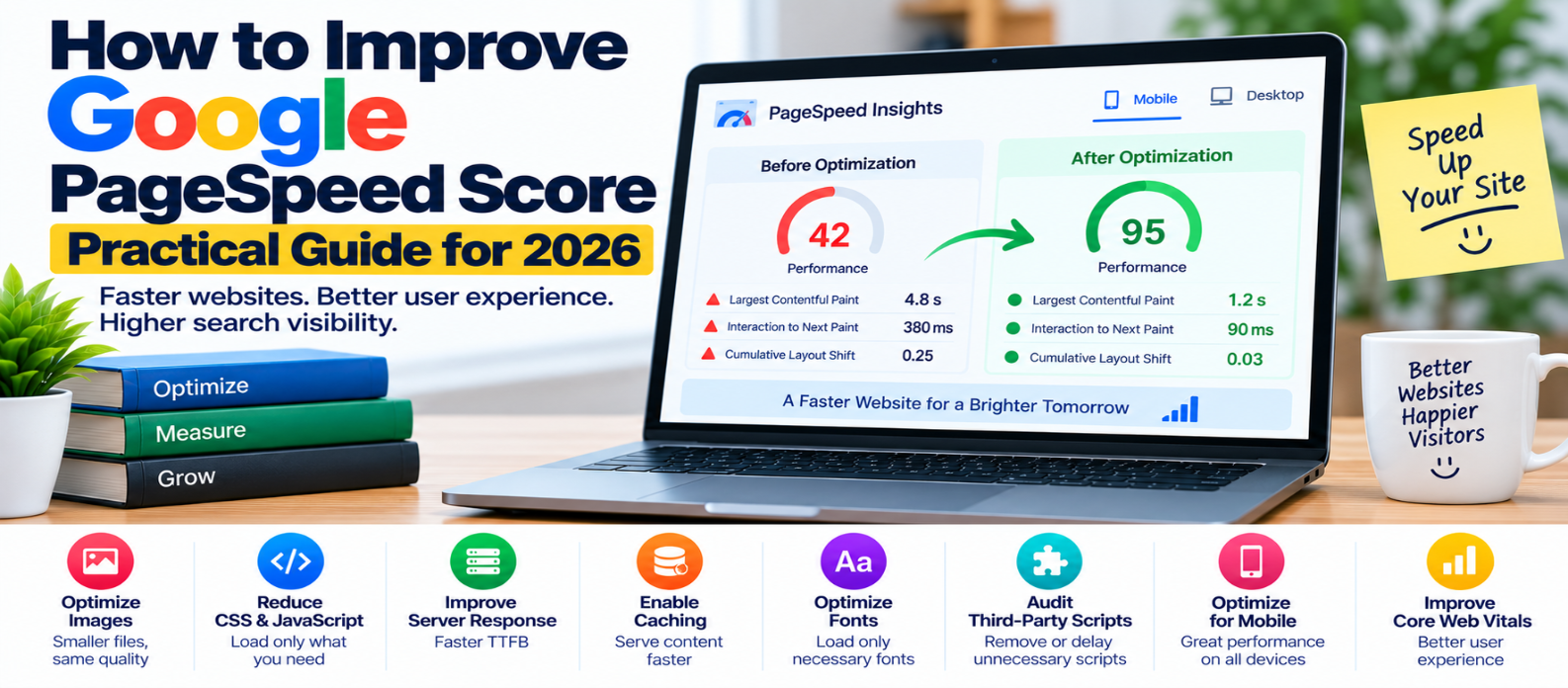
"Learn how to improve your Google PageSpeed score by optimizing LCP, INP, CLS, images, JavaScript, CSS, server response, caching, compression, fonts and third-party scripts while focusing on real website performance."
How to Improve Google PageSpeed Score: Practical Guide
A low PageSpeed score can make a website look seriously broken—even when it feels reasonably fast on your own computer.
The reason is simple: performance testing examines more than how quickly a page appears to you. It evaluates loading, rendering, JavaScript execution, layout stability, network activity, and other work the browser performs.
The right goal isn't simply "get 100."
It is to identify what makes the page slow and improve the experience behind the score.
Understand What Your PageSpeed Score Means
PageSpeed Insights can present two different kinds of performance information:
Lab data simulates a page load under controlled conditions. The Lighthouse performance score belongs here.
Field data, when available, represents experiences collected from real users over time.
These aren't interchangeable.
Your Lighthouse score can change between tests, while real-user Core Web Vitals describe longer-term visitor experience.
So don't optimize one number while ignoring everything else.
1. Start With the Largest Problems
When a report contains many warnings, avoid fixing them randomly.
Look for high-impact problems such as:
Slow server response
        ↓
Late LCP resource
        ↓
Oversized images
        ↓
Render-blocking resources
        ↓
Heavy JavaScript
        ↓
Third-party overhead
Fixing a major bottleneck can improve several measurements at once.
2. Improve Largest Contentful Paint
Largest Contentful Paint (LCP) measures how quickly the main visible content finishes rendering.
A good LCP is 2.5 seconds or less.
The LCP element is commonly:
- A hero image
- A banner
- A large heading
- A prominent content image
- A large text block
First identify the actual element.
If it's a hero image, optimize the image itself rather than blindly changing unrelated JavaScript.
Useful improvements can include:
- Resize oversized images
- Compress files
- Use efficient image formats
- Provide responsive image variants
- Ensure the image is discoverable early
- Avoid unnecessary loading delays
Don't normally lazy-load an above-the-fold LCP image.
3. Optimize Images Properly
Large images are one of the easiest performance problems to create.
Imagine displaying this:
Original image: 4000 × 3000
Displayed size:   800 × 600
The browser may still need to download far more image data than necessary.
Instead:
- Resize images for realistic display sizes
- Compress them
- Consider WebP or AVIF
- Use responsive images
- Lazy-load suitable offscreen images
- Specify image dimensions
For example:
<img
  src="photo-800.webp"
  srcset="photo-400.webp 400w,
          photo-800.webp 800w,
          photo-1200.webp 1200w"
  sizes="(max-width: 800px) 100vw, 800px"
  width="800"
  height="600"
  alt="Example">
The browser can choose an appropriate resource instead of always downloading the largest file.
4. Reduce Unused JavaScript
A browser doesn't just download JavaScript.
It may also need to:
Download
   ↓
Parse
   ↓
Compile
   ↓
Execute
   ↓
Update Page
Large amounts of unnecessary JavaScript can hurt both loading and responsiveness.
Audit scripts and remove code that isn't needed.
For larger applications, split features so visitors download them when required.
const editor = await import("./editor.js");An editor used only after a button click doesn't necessarily belong in the initial bundle.
5. Prevent Long Main-Thread Tasks
Heavy JavaScript can keep the browser busy long enough that interactions feel delayed.
This can also contribute to poor Interaction to Next Paint (INP).
A good INP is 200 milliseconds or less.
Break expensive work into smaller pieces where appropriate, reduce unnecessary processing, simplify event handlers, and avoid repeatedly performing large DOM updates.
A faster download doesn't guarantee a responsive page if the browser spends too much time executing code.
6. Reduce Render-Blocking Work
Some resources are needed before the browser can render important content.
The problem appears when too much noncritical work blocks that process.
Review:
- Large stylesheets
- Unused CSS
- Synchronously loaded scripts
- Excessive font files
- Dependency chains
Minify production CSS and JavaScript, remove genuinely unused code, and load noncritical resources appropriately.
For scripts that don't need to block HTML parsing, defer may be useful:
<script src="app.js" defer></script>Don't change loading behavior without testing the website afterward.
7. Improve Server Response
Frontend optimization can't fully compensate for a consistently slow origin server.
Investigate:
- Application processing
- Database queries
- Server resources
- Cache configuration
- Backend API calls
- Redirects
For suitable content, caching can prevent the server from rebuilding the same response repeatedly.
Think of the loading chain:
Slow Server
    ↓
Late HTML
    ↓
Late Resource Discovery
    ↓
Late Rendering
Improving the beginning of that chain can benefit everything after it.
8. Enable Browser Caching and Compression
Visitors shouldn't repeatedly download unchanged static resources.
Configure appropriate caching for:
- Images
- CSS
- JavaScript
- Fonts
Versioned filenames can allow long-lived caching while ensuring new versions are fetched after updates.
Also use HTTP compression such as Brotli or gzip where appropriate for text-based resources.
Compression reduces transferred bytes; caching reduces repeated transfers. They solve different problems.
9. Optimize Fonts
Custom fonts can delay visible text or create unnecessary network requests.
Reduce:
- Unused font families
- Unnecessary weights
- Unused styles
- Duplicate font files
Use efficient formats and sensible font-display behavior.
Preload only fonts that are genuinely critical. Preloading everything simply makes too many resources compete for priority.
10. Reduce Layout Shifts
Cumulative Layout Shift (CLS) measures unexpected visual movement.
A good CLS is 0.1 or less.
Common causes include:
- Images without dimensions
- Ads without reserved space
- Dynamically inserted banners
- Embeds that expand after loading
- Font-related layout changes
Reserve appropriate space before these elements arrive.
A faster website shouldn't jump around while someone is trying to use it.
11. Audit Third-Party Scripts
Analytics, advertising, chat systems, video embeds, social widgets, and marketing tools can add significant work.
For each third-party resource, ask:
Do we still need this?
Does it need to load immediately?
Can it wait until interaction or later in the page lifecycle?
Removing one unnecessary heavy integration can sometimes be more valuable than dozens of tiny code optimizations.
12. Don't Chase a Perfect 100
A Lighthouse performance score is useful for diagnosis and comparison, but 100 isn't the definition of a good website.
Performance scores can vary because of testing conditions and page behavior.
Instead, prioritize:
- Serious loading bottlenecks
- Core Web Vitals
- Real-user experience
- Mobile performance
- Regressions after website changes
A useful feature shouldn't automatically be removed merely because doing so adds a few points to a synthetic score.
A Better PageSpeed Optimization Workflow
Use a repeatable process:
Run Test
   ↓
Find Biggest Bottleneck
   ↓
Understand Its Cause
   ↓
Make One Meaningful Change
   ↓
Test Again
   ↓
Compare Results
Changing ten things simultaneously makes it harder to know which change actually helped—or caused a new problem.
Final PageSpeed Checklist
Before finishing your optimization pass, verify:
-
LCP resource loads efficiently
-
Images are correctly sized and compressed
-
Unused JavaScript is reduced
-
Long tasks are controlled
-
Unnecessary CSS is removed
-
Server response is healthy
-
Static resources are cached
-
Text resources use compression
-
Fonts are optimized
-
Layout shifts are minimized
-
Third-party scripts are justified
-
Mobile performance is tested
-
Real-user Core Web Vitals are checked when available
Conclusion
Improving your Google PageSpeed score shouldn't become a game of chasing a perfect number.
Use the report to discover why your website is slow.
Optimize the server, prioritize important content, reduce unnecessary JavaScript and CSS, deliver images efficiently, control fonts and third-party resources, use caching and compression, and protect Core Web Vitals.
The best result isn't simply:
"My score increased."
It's:
"My visitors now get a faster, more responsive, and more stable website."
Get a Free Access To 200+ Free Tools:
|
Home Page |
|
|
Calculator Tools |
|
|
Text & Converter Tools |
|
|
PDF & Image Tools |
|
|
Games & Developer Tools |
|
|
Resume Builder |