
CSS Performance Optimization: Complete Guide for 2026
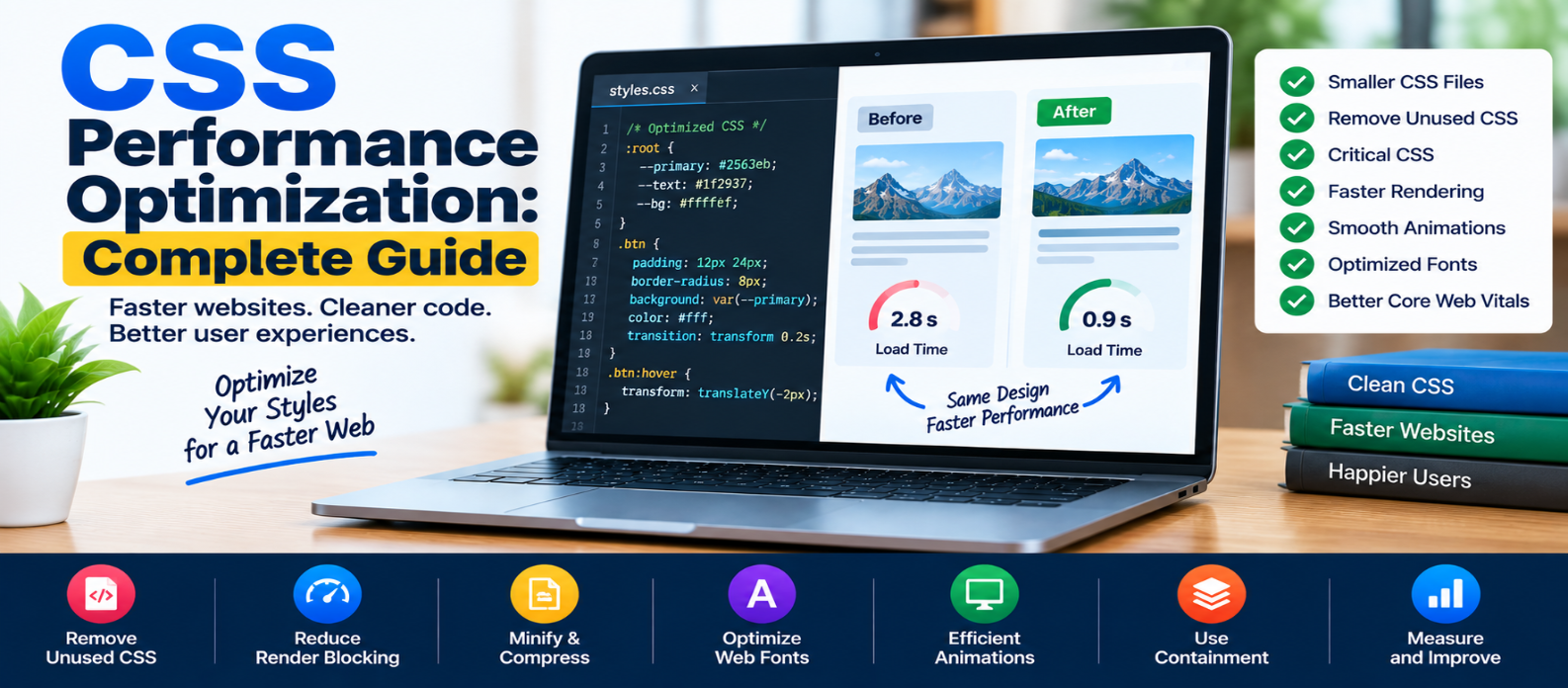
"Learn how to optimize CSS performance by removing unused styles, reducing render-blocking CSS, minifying and compressing files, improving animations and fonts, using caching and containment, and measuring real browser rendering performance."
CSS Performance Optimization: Complete Guide
CSS is responsible for how a website looks, but it also influences how quickly visitors can see and interact with a page.
A stylesheet may appear small compared with images or JavaScript, yet poorly organized CSS can delay rendering, transfer unnecessary code, trigger expensive layout or paint work, and make complex pages harder for browsers to process.
CSS performance optimization isn't about removing design. It's about delivering the styles users need without unnecessary loading or rendering work.
Here's how to approach it.
How CSS Affects Website Performance
When a browser loads a page, it needs HTML and CSS to determine how elements should appear.
A simplified process looks like:
HTML → DOM
CSS  → CSSOM
       ↓
   Render Tree
       ↓
     Layout
       ↓
     Paint
External stylesheets can delay initial rendering while required CSS is downloaded and processed.
CSS can also influence performance later through layout changes, animations, visual effects, and large page structures.
Optimization therefore involves both CSS delivery and CSS execution/rendering cost.
1. Remove Unused CSS
A website may download thousands of CSS rules while using only a fraction of them on a particular page.
This often happens with:
- Large frameworks
- Old components
- Abandoned features
- Plugin styles
- Duplicate rules
- Global stylesheets shared across unrelated pages
Suppose your stylesheet contains:
Homepage CSS
Shop CSS
Dashboard CSS
Editor CSS
Admin CSS
but a visitor only opens the homepage.
Sending every style isn't always necessary.
Use build tools or browser diagnostics to identify unused CSS, but remove it carefully because styles triggered by interactions or dynamic content may not appear during a simple page scan.
2. Keep Stylesheets Focused
One giant stylesheet is convenient, but it can force pages to download styles they never need.
For larger applications, consider splitting CSS around meaningful boundaries:
base.css
blog.css
shop.css
dashboard.css
Don't take this to the extreme.
Dozens of tiny stylesheets can introduce their own complexity. The goal is to deliver appropriate CSS efficiently, not maximize the number of files.
3. Minify Production CSS
Readable development CSS might look like:
.card {
  padding: 20px;
  border-radius: 12px;
}
Production tooling can remove unnecessary whitespace and formatting.
Minification reduces transfer size without changing the intended design.
Combine this with HTTP compression for efficient delivery.
4. Reduce Render-Blocking CSS
CSS needed to render the initial page is important, but not every stylesheet is necessarily required immediately.
For example:
Main Layout CSS → Needed now
Print CSS       → Not immediately needed
Below-fold UI   → Possibly later
Identify which styles are genuinely required for the initial viewport.
Avoid loading large unrelated stylesheets before visitors can see useful content.
5. Use Critical CSS Carefully
Critical CSS refers to the styles required to render important above-the-fold content.
A site can place a small amount of essential CSS directly in the document:
<style>
  .hero {
    min-height: 400px;
  }
</style>
and load additional styles separately.
This can improve initial rendering in some architectures.
However, manually maintaining large blocks of inline CSS creates duplication and caching problems. Critical CSS is most useful when automated and kept genuinely critical.
6. Avoid Unnecessary @import
CSS can load another stylesheet using:
@import url("components.css");This may introduce additional dependency chains.
Where possible, bundling or directly linking required styles can make resource discovery more straightforward.
For example:
<link rel="stylesheet" href="components.css">The best approach depends on your build system, but unnecessary request chains should be avoided.
7. Don't Obsess Over Selector Micro-Optimization
You may see advice suggesting that every complex selector is a major performance problem.
Modern browsers are highly optimized.
Instead of spending hours changing:
.navigation ul li a {}into shorter selectors purely for theoretical speed, first investigate bigger issues such as:
- Excessive CSS
- Huge DOM structures
- Expensive layout
- Large visual effects
- Unnecessary animations
Write selectors that are clear, maintainable, and appropriately scoped.
Optimize selector performance only when profiling shows a real bottleneck.
8. Reduce Expensive Visual Effects
Some CSS effects can require significant painting or compositing work, particularly when applied over large areas.
Examples worth testing include:
Large blurs
Complex shadows
Filters
Backdrop filters
Multiple layered effects
This doesn't mean you should never use them.
Ask whether the visual benefit justifies the rendering cost, especially on mobile devices.
9. Animate the Right Properties
Animations can become expensive when they repeatedly trigger layout or paint work.
Animating properties such as:
width
height
top
left
margin
can require additional layout calculations.
When visually appropriate, prefer properties such as:
transform: translateX(20px);
opacity: 0.5;
Transforms and opacity can often be handled more efficiently by browser rendering pipelines.
But don't add will-change everywhere in an attempt to force optimization. It consumes resources and should be used selectively.
10. Prevent Layout Thrashing
JavaScript and CSS can interact in ways that repeatedly force layout calculations.
Conceptually:
Read Element Size
       ↓
Change CSS
       ↓
Read Size Again
       ↓
Change CSS Again
       ↓
Repeat
If this occurs frequently across many elements, performance can suffer.
Where possible, batch related reads and writes and avoid unnecessary style recalculation.
This is particularly important for complex interactive applications.
11. Use CSS Containment When Appropriate
CSS provides containment features that can help browsers isolate parts of a page.
For example:
.widget {
  contain: layout paint;
}
This tells the browser that certain effects of the element are contained within defined boundaries.
Another useful feature is:
content-visibility: auto;For long pages, it can allow browsers to skip some rendering work for offscreen content until needed.
These are advanced optimizations. Test carefully because containment changes layout and rendering behavior.
12. Optimize Web Fonts
Fonts are closely connected to CSS performance.
Avoid loading:
8 Font Families
×
7 Weights
×
Multiple Styles
when the website actually uses two families and three weights.
Consider:
- Fewer font families
- Fewer weights
- Efficient font formats
- Appropriate
font-display - Font subsetting when suitable
- Preloading only genuinely critical fonts
Every font you remove is one less resource the browser may need to download and process.
13. Avoid Duplicate CSS
As websites grow, duplicate declarations often accumulate:
.button {
  padding: 12px 20px;
}

.primary-button {
  padding: 12px 20px;
}

.action-button {
  padding: 12px 20px;
}
Reusable component styles can reduce repetition:
.button {
  padding: 12px 20px;
}
Then modifiers can handle meaningful variations.
The goal isn't to make CSS artificially short. It's to avoid maintaining multiple copies of identical behavior.
14. Use CSS Variables Without Fear
CSS custom properties are useful for maintainability:
:root {
  --spacing-md: 16px;
  --radius: 10px;
}
Then:
.card {
  padding: var(--spacing-md);
  border-radius: var(--radius);
}
Don't remove CSS variables merely because you assume ordinary values are faster.
Their maintainability benefits are often valuable, and performance problems should be demonstrated through measurement rather than guesswork.
15. Optimize Responsive CSS
Responsive websites shouldn't carry large amounts of duplicated styling for every breakpoint.
Instead of creating separate versions of entire components, build from shared base styles and override only what changes.
Example:
.grid {
  display: grid;
  grid-template-columns: 1fr;
}

@media (min-width: 768px) {
  .grid {
    grid-template-columns: repeat(3, 1fr);
  }
}
This keeps responsive behavior easier to understand and maintain.
Modern tools such as container queries can also help components respond to their available space rather than relying only on viewport width.
16. Compress CSS During Transfer
Minification and network compression solve different problems.
Minification removes unnecessary characters from the CSS source.
HTTP compression reduces the amount of data transferred over the network.
A production delivery pipeline might be:
CSS Source
   ↓
Remove Unused Rules
   ↓
Minify
   ↓
Compress During Transfer
   ↓
Browser
Using these techniques together can reduce unnecessary network cost.
17. Cache Stable Stylesheets
Visitors shouldn't repeatedly download an unchanged stylesheet.
Versioned filenames make long-lived caching easier:
styles.a83f21.cssWhen the stylesheet changes, the build generates a different name:
styles.c912bd.cssThe new URL receives the new file while unchanged versions can remain efficiently cached.
18. Measure CSS Performance
Don't optimize CSS solely because a rule looks complicated.
Measure:
- CSS transfer size
- Unused CSS
- Rendering time
- Style recalculation
- Layout activity
- Paint work
- Largest Contentful Paint
- Cumulative Layout Shift
- Interaction responsiveness
Browser performance tools can help identify where rendering time is actually being spent.
Common CSS Performance Mistakes
Avoid these:
Loading an entire framework for a few components.
Keeping old CSS forever because you're afraid to remove it.
Inlining huge stylesheets as "critical CSS."
Using will-change everywhere.
Removing useful visual effects without measuring their cost.
Micro-optimizing selectors while ignoring megabytes of images or JavaScript.
Loading unnecessary font families and weights.
Making performance changes without testing before and after.
What Should You Fix First?
Use this priority:
1. Remove unnecessary CSS
       ↓
2. Reduce render-blocking styles
       ↓
3. Minify + compress
       ↓
4. Optimize fonts
       ↓
5. Fix expensive rendering
       ↓
6. Improve animations
       ↓
7. Cache stable CSS
       ↓
8. Investigate micro-optimizations
Fix large measurable problems before tiny theoretical ones.
Conclusion
CSS performance optimization isn't about writing the fewest possible lines of CSS.
It's about ensuring the browser receives the right styles at the right time and can render them efficiently.
Focus on:
Remove → Eliminate unused CSS
Prioritize → Deliver important styles early
Minify → Reduce production file size
Compress → Reduce network transfer
Animate Carefully → Avoid unnecessary layout work
Fonts → Load only what you use
Cache → Reuse unchanged stylesheets
Measure → Optimize actual bottlenecks
Well-optimized CSS should preserve the design visitors expect while reducing unnecessary downloading, style calculation, layout, and painting.
The best optimization is therefore not the one that makes your stylesheet look smallest.
It's the one that makes the website faster without making the experience worse.
Get a Free Access To 200+ Free Tools:
|
Home Page |
|
|
Calculator Tools |
|
|
Text & Converter Tools |
|
|
PDF & Image Tools |
|
|
Games & Developer Tools |
|
|
Resume Builder |