
Content Security Policy Explained: Complete CSP Guide
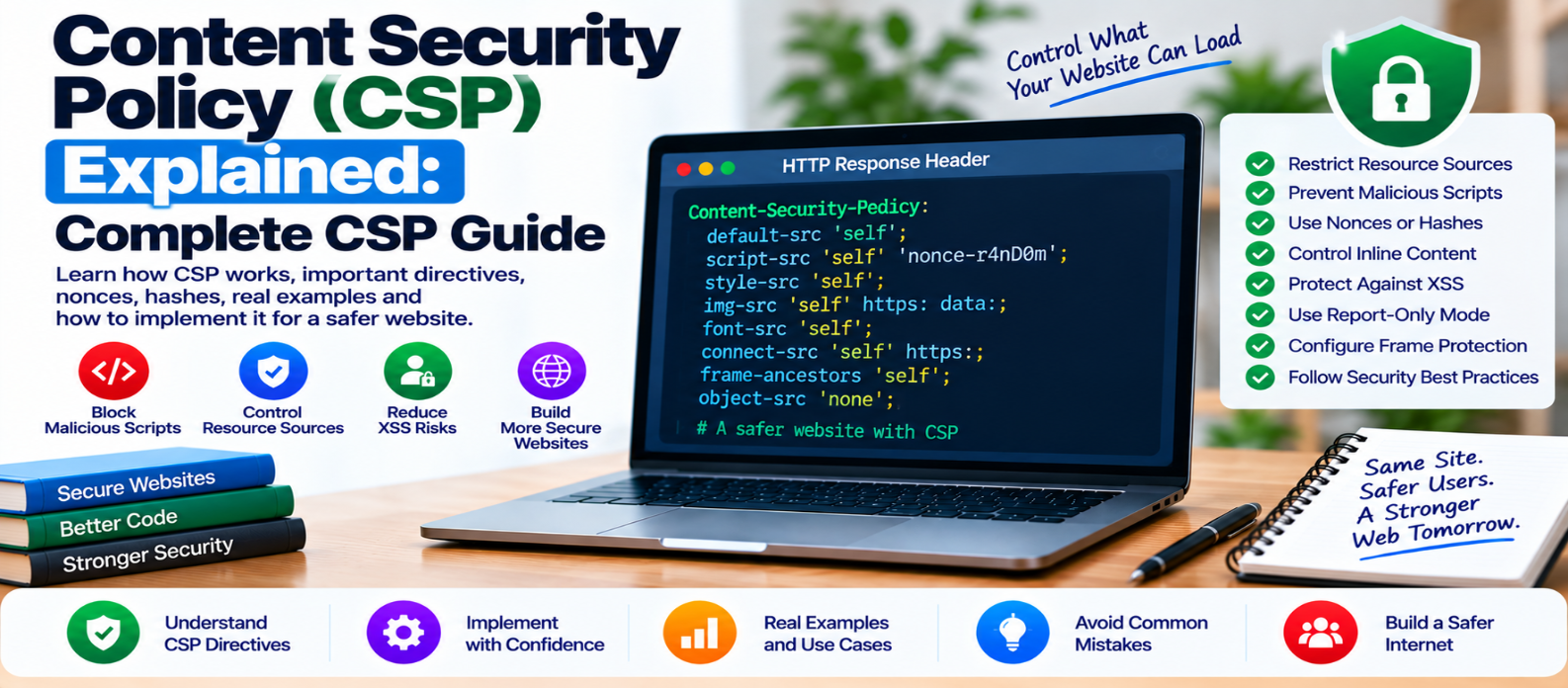
"Learn how Content Security Policy (CSP) protects websites, including CSP directives, script restrictions, nonces, hashes, frame protection, report-only mode, common mistakes, and practical deployment strategies."
Content Security Policy Explained: Complete CSP Guide
A modern webpage can load code and content from many places: its own server, CDNs, analytics services, APIs, fonts, images, embedded videos, and third-party tools.
That flexibility is useful, but it also creates security risks.
Content Security Policy (CSP) gives website owners a way to tell browsers which resources are allowed and which should be blocked.
Used correctly, CSP provides an important additional layer of protection against threats such as Cross-Site Scripting (XSS) and unauthorized content injection.
What Is Content Security Policy?
CSP is a browser security mechanism normally delivered through an HTTP response header.
A simple policy might be:
Content-Security-Policy: default-src 'self'This establishes 'self'—the website's own origin—as the default permitted source for supported resource types unless another directive overrides it.
Conceptually:
Website requests resource
        ↓
Browser checks CSP
      ↙     ↘
  Allowed   Blocked
     ↓         ↓
   Load      Reject
The browser enforces the policy.
Why Is CSP Useful?
Imagine a vulnerability allows unexpected content to be inserted into a webpage.
Without additional browser restrictions, injected executable content may have more freedom to run.
CSP can establish boundaries around which scripts and resources the browser trusts.
However, CSP should be treated as defense in depth.
It doesn't replace:
- Context-aware output encoding
- HTML sanitization
- Safe DOM APIs
- Secure authentication
- Correct authorization
- Software updates
Fix the underlying vulnerability even when CSP reduces its impact.
Understanding CSP Directives
A CSP consists of directives controlling different resource categories.
For example:
Content-Security-Policy:
  default-src 'self';
  script-src 'self';
  img-src 'self' https:;
  object-src 'none';
Each directive has a specific purpose.
default-src
Provides a fallback source policy for many resource types.
default-src 'self'It is useful as a restrictive baseline.
script-src
Controls permitted JavaScript sources.
script-src 'self'Script restrictions are especially important because JavaScript can perform powerful actions within a webpage.
style-src
Controls stylesheet sources.
style-src 'self'Your actual policy may need additional rules depending on how styles are delivered.
img-src
Controls image sources.
img-src 'self' https: data:This example allows images from the site's origin, HTTPS locations, and data URLs.
Only permit source types your website genuinely requires.
font-src
Controls where fonts can load from.
font-src 'self'If fonts come from another approved origin, that source must be accounted for.
connect-src
Controls destinations used by certain browser connections, including many fetch(), XMLHttpRequest, and WebSocket operations.
An application using external APIs may require carefully selected destinations here.
frame-src
Controls sources that the page may load into frames.
This can matter for embedded videos, payment interfaces, or other framed content.
object-src
Controls plugin-style embedded resources.
Many modern sites can use:
object-src 'none'when they don't require such content.
frame-ancestors Protects Your Page From Framing
frame-src and frame-ancestors solve different problems.
frame-src controls what your page can embed.
frame-ancestors controls who can embed your page.
For example:
Content-Security-Policy: frame-ancestors 'self'This can help protect against unwanted framing and clickjacking scenarios.
A site that should never be framed may use a more restrictive policy.
What Are CSP Nonces?
Modern applications sometimes need selected inline scripts.
Instead of broadly allowing all inline JavaScript, a server can generate a random value called a nonce for a response.
The CSP might contain:
script-src 'nonce-[RANDOM_VALUE]'The approved script receives the matching nonce.
Conceptually:
CSP Nonce: ABC123
       ↓
Script ABC123 → Allowed
Script without it → Blocked
In a real implementation, the nonce must be securely generated, unpredictable, and appropriately unique for the response.
Don't use fixed values such as nonce="12345" across pages.
CSP Hashes
Another approach is to allow a specific inline script based on a cryptographic hash of its contents.
Conceptually:
Script Content
      ↓
Cryptographic Hash
      ↓
Hash Listed in CSP?
   ↙           ↘
 Yes           No
  ↓             ↓
Allow          Block
Hashes can work well for static inline code whose contents don't change frequently.
If the script changes, its permitted hash must also change.
Why 'unsafe-inline' Can Weaken CSP
You may encounter configurations such as:
script-src 'self' 'unsafe-inline'Allowing broad inline script execution can undermine important protections that a stronger script policy is intended to provide.
Instead of automatically adding 'unsafe-inline' whenever something breaks, investigate whether inline scripts can be moved, refactored, or authorized using an appropriate nonce or hash strategy.
Be Careful With Broad Source Rules
A policy isn't strong merely because the CSP header exists.
For example, excessively broad source permissions may provide little meaningful restriction.
Avoid treating:
*as a convenient solution whenever a resource is blocked.
Every permitted source expands what the browser is allowed to trust.
Build the policy around resources your application actually requires.
Use CSP Report-Only During Deployment
Deploying a strict CSP immediately can break legitimate functionality.
Browsers can first receive a policy in report-only mode:
Content-Security-Policy-Report-Only: ...This lets you evaluate potential violations without enforcing the policy in the same way as the normal CSP header.
A practical rollout is:
Inventory Resources
       ↓
Create Initial Policy
       ↓
Deploy Report-Only
       ↓
Review Violations
       ↓
Fix Legitimate Requirements
       ↓
Enforce CSP
       ↓
Continue Monitoring
Don't blindly allow every reported source. Some violations may reveal unnecessary or unexpected resources.
Common CSP Mistakes
Copying Another Website's Policy
Every site's scripts, APIs, fonts, frames, and architecture differ.
Allowing Too Many Sources
A huge allowlist can weaken the security value of the policy.
Reusing Predictable Nonces
Nonces should not become static identifiers.
Confusing frame-src With frame-ancestors
One controls frames your page loads; the other controls who can frame your page.
Assuming CSP Fixes XSS
CSP can reduce risk, but unsafe rendering code should still be corrected.
Never Updating the Policy
New analytics, payment systems, APIs, fonts, or frontend architecture may require CSP changes.
Practical CSP Checklist
Before enforcing a policy, verify:
-
default-srcprovides a sensible baseline -
script-srcis carefully restricted -
Inline scripts are minimized
-
Nonces or hashes are correctly implemented where needed
-
Image sources are intentional
-
Font sources are controlled
-
API destinations are covered by
connect-src -
Framing rules match application requirements
-
object-srcis restricted when unused -
Broad wildcards are avoided where possible
-
Report-only testing has been performed
-
Important pages and features still work
-
Violations are reviewed rather than automatically allowed
-
CSP is maintained as the website evolves
Conclusion
Content Security Policy creates a browser-enforced boundary around the resources your website is permitted to trust.
The basic idea is straightforward:
Resource Requested
       ↓
Check CSP
       ↓
Trusted by Policy?
   ↙          ↘
 Yes          No
  ↓            ↓
Load          Block
Start with a restrictive baseline, explicitly allow what the application needs, handle scripts carefully, use nonces or hashes where appropriate, test with report-only mode, and strengthen the policy gradually.
Most importantly, remember that CSP works best alongside secure application development.
Fix vulnerabilities at their source—and use CSP as another strong layer between a coding mistake and a successful browser-based attack.
Get a Free Access To 200+ Free Tools:
|
Home Page |
|
|
Calculator Tools |
|
|
Text & Converter Tools |
|
|
PDF & Image Tools |
|
|
Games & Developer Tools |
|
|
Resume Builder |